

























New on LowEndTalk? Please Register and read our Community Rules.
All new Registrations are manually reviewed and approved, so a short delay after registration may occur before your account becomes active.
All new Registrations are manually reviewed and approved, so a short delay after registration may occur before your account becomes active.



Comments
Well, maybe they overlooked your ticket. Try to create a new one and give the information I asked and that should help. From the information you given, it should work and their no registered network outage for this node.
reports that the port is open, but the can't access by vnc.
Thank you for your help.
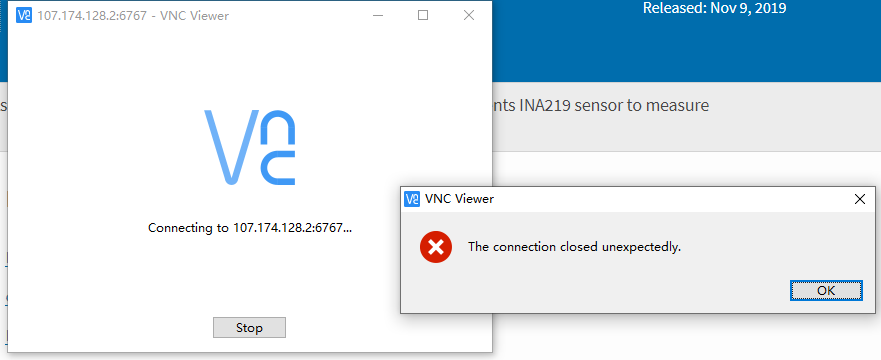
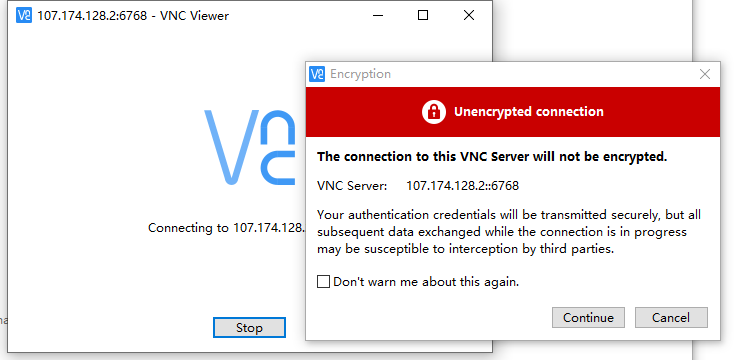
If you dont mind, just try this: http://192.210.203.62:6081/vnc.html?host=192.210.203.62&port=6081
After done, please goto your CP to change your VNC password
@VirMach Could you please check your Debian 10 ISO that I cannot install from while Debian 9 works well.
If you believe it to be an issue with the specific ISO then just make a custom ISO mount request and provide your own.
Web VNC viewer is mostly fixed outside of maybe 10% of the servers, there's no need to set up your own noVNC (of course you can if you prefer that) because you can just use any VNC app. VNC itself isn't broken.
For some reason this gives everyone such a difficult time though, we have a few dozen customers losing sleep over it and it's always them entering the details incorrectly. Not sure how else we can explain it better. Of course in some rare cases, VNC may actually be broken in which case the quickest fix is to disable it and re-enable it.
I can take another look but if it's exactly what I said it was then it's billable, let me know.
But because I reinstalled my system, I waited for a long time and still couldn't boot it, so I don't think this is also a paid service.
http://192.210.203.62:6081/vnc.html?host=107.174.128.2&port=6767
Actually i cant even connect to my server,i think it is a basic problem which should not be charged.
I had this issue too. Didn't have much luck but it worked with the details provided on the WHMCS control panel.
The SolusVM VNC pages for my services are broken (they just redirect back to the home page).
This is the Way 😃
You describe the same problem as I do.
how about $100/year with
1 vCPU
10 MB RAM
1GB BW
1 IPV4
I have the same problem with the SolusVM VNC. They migrated one of my old VM to another node, (from 'SEAKVM3' to 'SEAKVM11'), After that I'm not able to access to the VPS. When I check the service details in the WHMCS, I get an error message: "Connection Timed Out After 90001 Milliseconds". I tried to access to the VM via the SolusVM (VNC) directly, but the VNC button is redirect to the main screen. I opened a ticket yesterday. I tried to ask in LET also, and they (VirMach) suggested me to open a 'priority ticket',
SolusVM: https://imgur.com/a/B5uHU0h
lol newly provisioned 2Core 2GB Ram even can’t run a YABS and keep offline
@VirMach . my $1 deal is still pending until now. I want it activated even if i can't use it


@VirMach I find one more bug here. Ticket #581678
I am so upset for this. Because I cannot install any system now. See the pictures below,
It tells me I have 2/1 times to reinstall the system

It tells me wrong username or password when I click the "VPS control pannel" from user client area

It shows me "Server disconnected (code: 1006)" whatever I open the VNC using different network and web browser.
The information of troubleshot is
I can install the system but can not boot, my test result:
@VirMach
When will the problem of blocked mail be resolved?
can't boot
how do we do this if VNC is not working? Does it auto install once iso is mounted? tnx
The same issue, VNC does not work and the system does not boot.
I don't think this is very high on their priority list. It seems to be happening to quite a few people at the moment and it's been persistent (with or without intervention). Whatever it is probably is a bit more complicated than a simple relink.
Not much you can do but open a ticket and hope for the best in the coming weeks. It probably isn't happening for enough people for Virmach to work on it for now.
Hey guys, if you dollar service didn't make it through initially and got stuck in the queue, I, unfortunately, have to cancel/refund your order. It'll just take too much time to process all of them since it was meant to catch bots and I set the quantity way over (I'd have to spread it across other viable nodes manually.)
Then I'd have to deal with all the bandwidth increase requests and tickets regarding the package not working, really not worth it.
But if you did get it already then you can keep it.
This isn't related to the VNC issue, it's something else. Your service broke some other way during migration so we have to fix it, so definitely do make sure you have that ticket.
What does it mean, could you please clarify:
Port 25 blocks should reset every 24 hours in almost all cases.
You need to make a ticket for this bug, just make sure to explain it clearly and we can get it fixed.
If this is after migration, try turning VNC off and then on, or contact us.
If you have some other vps then setup your own novnc, connect to their vnc server to set your vps up.
If you didn't interrupt the initial setup or a recent installation, then make a priority ticket and we can help. Note, this isn't an invitation for everyone to make a priority ticket, just you, because it seems in your case it may actually have an issue with the LVM.
I've already verified that the other guy didn't have this issue.
If the issue is on our end you won't be billed and you seem to be confident it's not due to what you did to the server so if I were you I'd go for it.
Thanks for the reply! I not wanted to "blame" You. I'm satisfied with the received services overall. I thought only it's probably not an unique problem. Sure, I have a ticket (ID: #691820).
@VirMach
1. Why?
2. no reply to ticket.
No this,
I mean I cannot receive password reset email.
I also have this confusion.
BF-SPECIAL-2020 IdleSparkling-VM $6.20 USD Annually 12/13/2020 RejectedHow to pay for this order