



























New on LowEndTalk? Please Register and read our Community Rules.
All new Registrations are manually reviewed and approved, so a short delay after registration may occur before your account becomes active.
All new Registrations are manually reviewed and approved, so a short delay after registration may occur before your account becomes active.
【1keydd devdeskos】how install a minecraft bedrock server in your arm linux machine

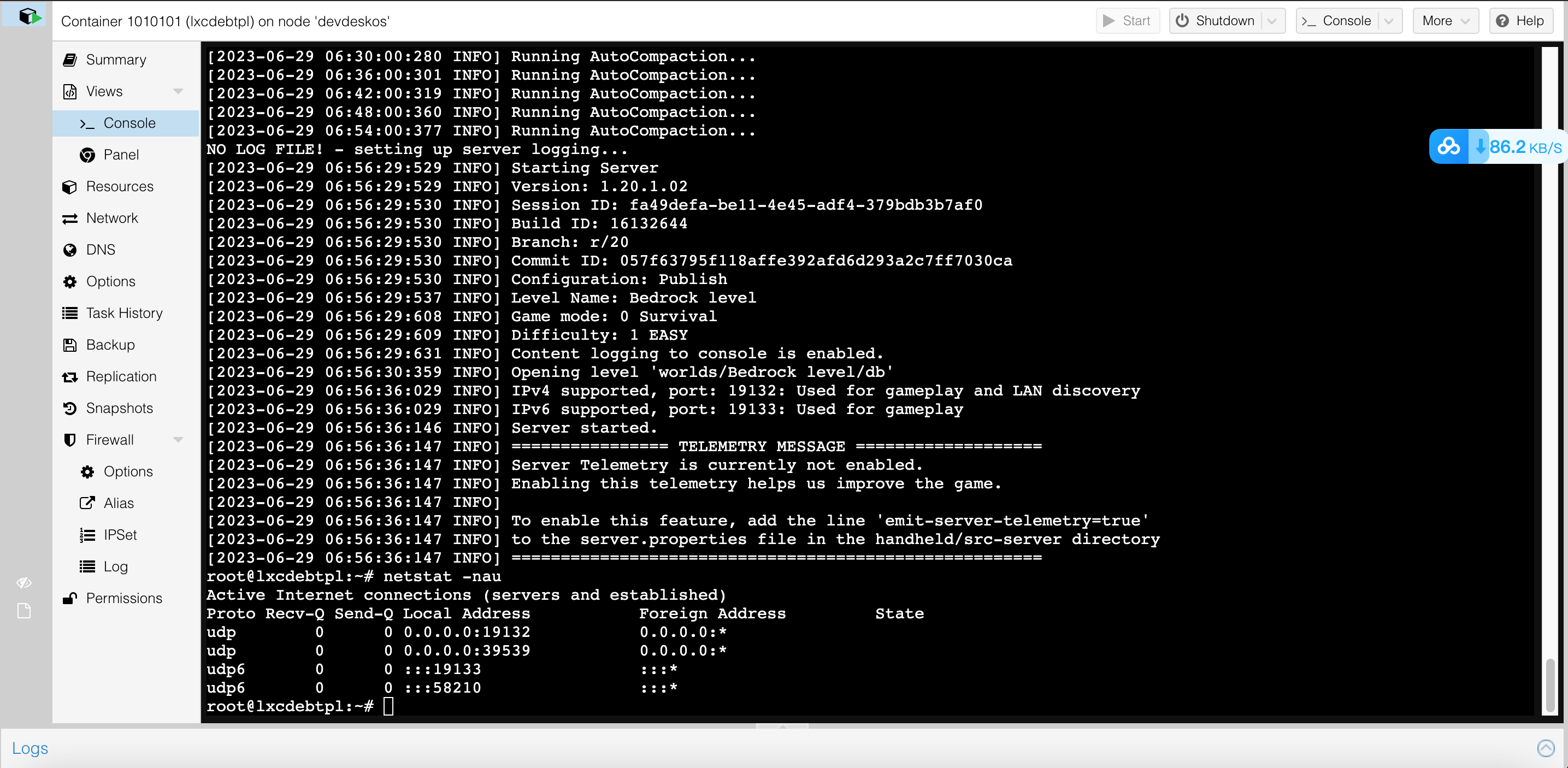
(this is a demo installed on a oracle free-tier Ampere arm instance using box64 emulator)
- it utilizes only 2%-3% of a single cpu core
- and just 500m-600m memory for loading res like: gamelogic and map obstacle data,etc ..
tutorial steps:
1, inst devdeskos,
this is a pve re-dist (you can see in the pic above it has more cleaner ui view than official dist)
the reason why not choose other linux dist is that:
- devdeskos has modules to support box64 later to use
- and that pve has lxc mechanism in a more reasonable way than docker in sense of "vm" other than just a "box container"
- and that pve hold apps in behavior way like a phone does to mobile app
wget -qO- 1keydd.com/inst.sh|bash
type to choose option 2 to install devdeskos

after script finished running and machine reboots, forward to http://ip:80 to view the novnc
after whole installation process done,forward to https://ip:8006 to login to pve with root/1keydd
then, start inbuilt lxc container 1010101,again use root/1keydd to login in

(below cmds run under /root)
apt-get update,apt-get install binfmt-support unzip gpg
wget https://ryanfortner.github.io/box64-debs/box64.list -O /etc/apt/sources.list.d/box64.list
wget -qO- https://ryanfortner.github.io/box64-debs/KEY.gpg | gpg --dearmor -o /etc/apt/trusted.gpg.d/box64-debs-archive-keyring.gpg
apt update && apt install box64-generic-arm
2,setup and run
still under /root dir
wget https://github.com/TheRemote/MinecraftBedrockServer/raw/master/depends.zip
unzip depends.zip
wget https://minecraft.azureedge.net/bin-linux-preview/bedrock-server-1.20.20.20.zip
unzip bedrock-server-1.20.20.20.zip
nohup box64 ./bedrock_server &
type netstat -nau to check if udp port 19132 get opened like demo pics Illustrated
3, expose gameservice
in pve host os, type "pvesetnadd add" command to add a iptable rule,to forward lxc container 1010101 game port service 19132 to host 19132 udp
4,get a gameclient
look for a same version minecraft client + loader in the pc
or buy a mobile client in the appstore
to connect to pve host 19132 game service
so star to bookmark devdeskos project on github?



Comments
That is great. Thank you for sharing. Do you know if there is any client launcher for android phones as well?
sorry ya,i use ios
Too insecure , u ask me to run encrypted internet script when i can just use docker container that i can build for myself or pull from registry
https://github.com/itzg/docker-minecraft-bedrock-server
pve has lxc mechanism in a more reasonable way than docker in sense of "vm" other than just a "box container"
i dont prefer docker personally
what is called a "encrypted internet script"
are you serious?
just refer to the github repo