























Howdy, Stranger!

It looks like you're new here. If you want to get involved, click one of these buttons!


New on LowEndTalk? Please Register and read our Community Rules.

All new Registrations are manually reviewed and approved, so a short delay after registration may occur before your account becomes active.

RackNerd’s BLACK FRIDAY TAKEOVER! NEW DEALS, NEW TECH, AdminBolt HOSTING + HUNDREDS OF GIVEAWAYS!

1…368369371373374…476

Comments

  • @BasToTheMax said:

    @lovelyserver said:

    @noob404 said:
    Okay, we are on page 370. Gotta get back to work.

    See ya. I'll go to sleep. And a bit of driving later on.

    Cya! Good night!

    Nooo. After lunch rest. A bit tired. Full belly :smiley:

  • I have tried AdminBolt and really like the AI features, especially being able to manage hosting from an AI agent in plain language.

    After testing AdminBolt MCP feature as a hosting account, I noticed it has to go through https://ai-hub.adminbolt.com/mcp instead of the panel itself, and I wanted to share some feedback on that.

    From the AdminBolt docs, the AI client connects to that central hub, you enter your panel URL plus API key and secret there, and the hub then calls the panel API on your behalf. That means all data, domains, email accounts, databases, etc, passes through AdminBolt's cloud server, and requests come from the hub, not from the user.

    For an admin that might be okay, but for a shared hosting end user it feels odd. The panel already has a full REST API, so why not also expose a local MCP endpoint on the panel itself, like https://panel:8443/mcp, and let the hub be optional for people who want the convenience?

    Would love to know if the hub logs or stores any of that data, and if a direct panel endpoint is planned.

    Also, MCP feels limited for real agent work. I ran a live tools/list with a hosting account key and got only 60 tools. It covers basic provisioning, domains, DNS, mailboxes, databases, FTP, SSL, and WordPress, but it has zero tools for files, cron jobs, backups, Node.js, Python, and Ruby applications, Git, redirects, autoresponders, forwarders, catch-alls, and mailing lists, Redis, LiteSpeed Cache, Cloudflare, cPGuard scans, AI bot blocking, access logs, etc.

    That is strange because the panel's own API has 177 client endpoints covering most of those, including file upload, write, download, and move, cron jobs, Acronis restores, Git pull, and application start, stop, and restart. The MCP docs page even says files, cron jobs, forwarders, and applications are covered, but the live tool list has none of them. Many of those already exist in the REST API, so it would make sense for MCP to expose them too.

    Thanked by 2TrK noob404
  • @BasToTheMax said:

    @noob404 said:
    Okay, we are on page 370. Gotta get back to work.

    yay im on page 370 too!

    Yaaayy. Page 370

  • 2200941959

  • Now I'll have to go to another town. Busy again.

  • Hi @dustinc,

    Could you please double the monthly bandwidth for my Black Friday 2026 VPS?
    Order Number: 3859414963
    Thank you!

  • Can I ask for double storage as a bonus? So I can make an order. Thanks.

  • TrKTrK Veteran

    @epaslv said:

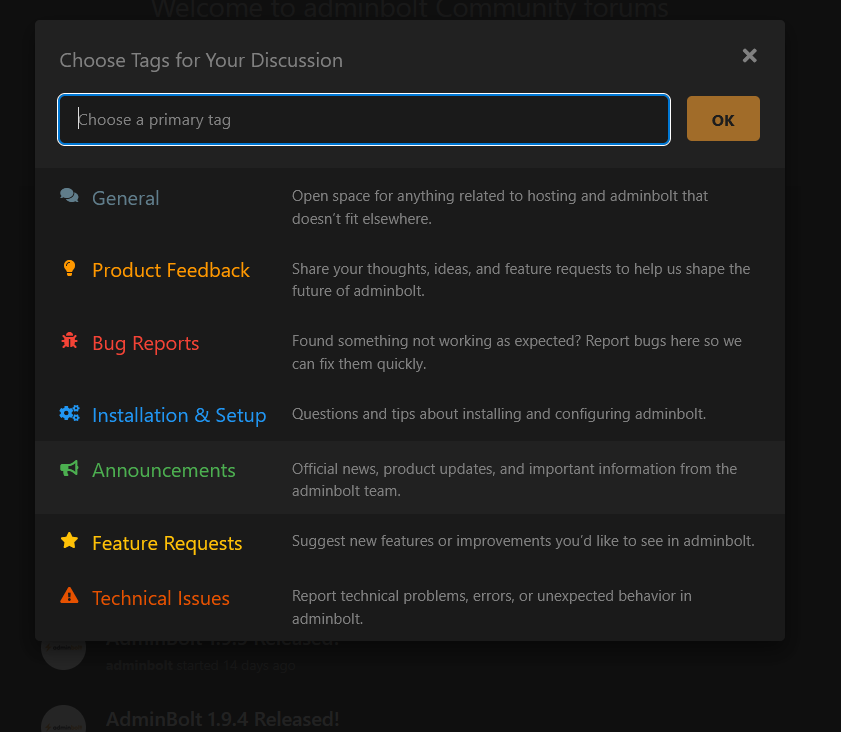
    @TrK said: You might be trying to start a discussion on locked category. Maybe browse the category here and post in proper one? https://community.adminbolt.com/tags

    There is big button "Start a discussion" and I cant see any tags anywhere, not too intuitive.

    Hmm i am able to create a discussion perfectly fine.
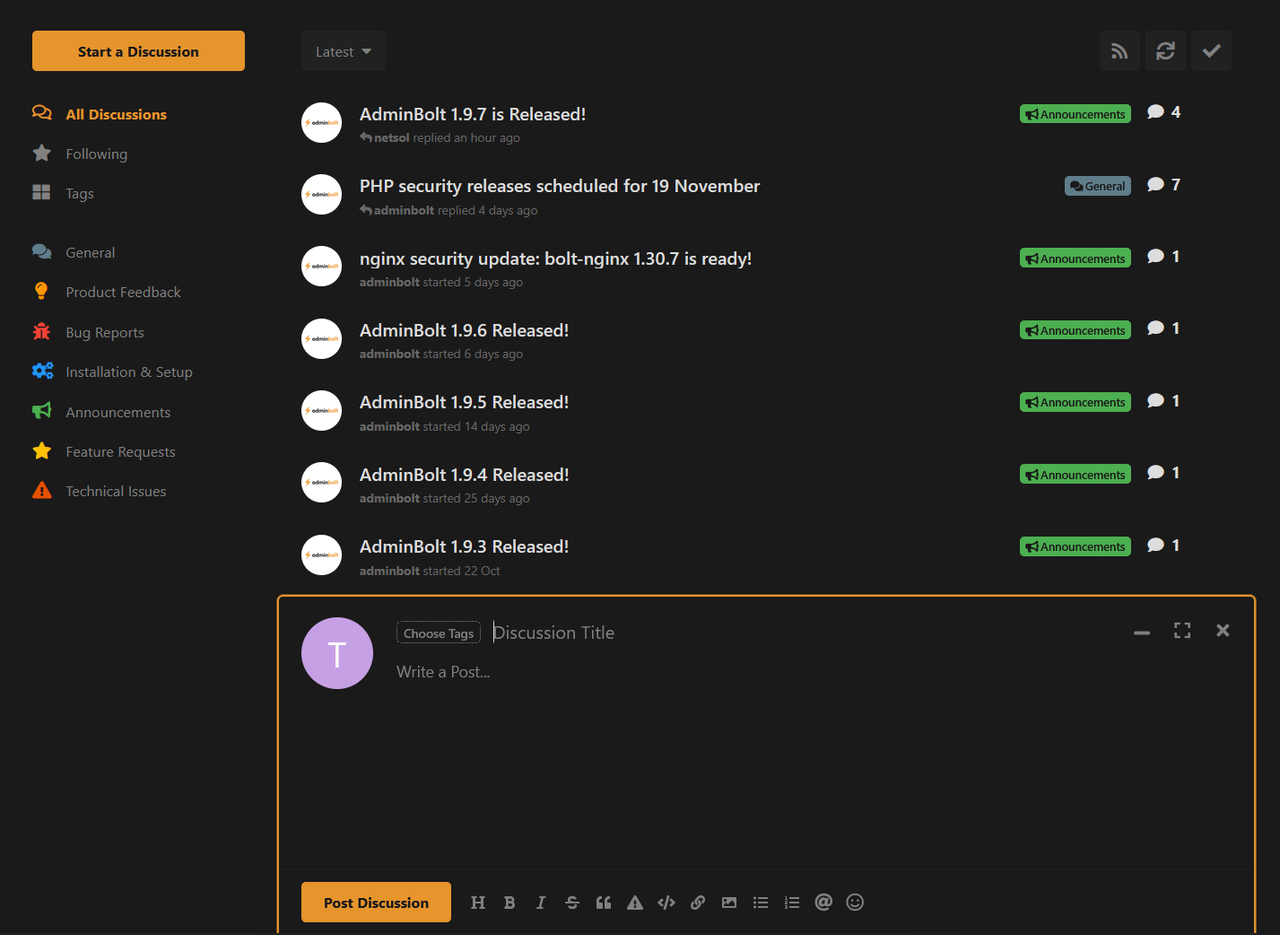
    Clicking on that choose tag button opens the dialog for to select proper tags!

  • @hostovio said:
    Can I ask for double storage as a bonus? So I can make an order. Thanks.

    as far as I know, only double bandwidth is offered here :)

  • TrKTrK Veteran

    @hostovio said:
    Can I ask for double storage as a bonus? So I can make an order. Thanks.

    You gotta order first and share the order number for double bandwidth upgrade!

  • TrKTrK Veteran

    @Neat321 said:
    I have tried AdminBolt and really like the AI features, especially being able to manage hosting from an AI agent in plain language.

    After testing AdminBolt MCP feature as a hosting account, I noticed it has to go through https://ai-hub.adminbolt.com/mcp instead of the panel itself, and I wanted to share some feedback on that.

    From the AdminBolt docs, the AI client connects to that central hub, you enter your panel URL plus API key and secret there, and the hub then calls the panel API on your behalf. That means all data, domains, email accounts, databases, etc, passes through AdminBolt's cloud server, and requests come from the hub, not from the user.

    For an admin that might be okay, but for a shared hosting end user it feels odd. The panel already has a full REST API, so why not also expose a local MCP endpoint on the panel itself, like https://panel:8443/mcp, and let the hub be optional for people who want the convenience?

    Would love to know if the hub logs or stores any of that data, and if a direct panel endpoint is planned.

    Also, MCP feels limited for real agent work. I ran a live tools/list with a hosting account key and got only 60 tools. It covers basic provisioning, domains, DNS, mailboxes, databases, FTP, SSL, and WordPress, but it has zero tools for files, cron jobs, backups, Node.js, Python, and Ruby applications, Git, redirects, autoresponders, forwarders, catch-alls, and mailing lists, Redis, LiteSpeed Cache, Cloudflare, cPGuard scans, AI bot blocking, access logs, etc.

    That is strange because the panel's own API has 177 client endpoints covering most of those, including file upload, write, download, and move, cron jobs, Acronis restores, Git pull, and application start, stop, and restart. The MCP docs page even says files, cron jobs, forwarders, and applications are covered, but the live tool list has none of them. Many of those already exist in the REST API, so it would make sense for MCP to expose them too.

    I don't use AI much that sounds kinda Neat!

  • caicai Member

    Hello, I would like to double the bandwidth.
    Order:9333513780, 6947730751, 7101025936, 6666025226, 8038687197
    Thanks!

  • Hello @dustinc,

    I recently purchased the 1 GB KVM VPS (Black Friday 2026) in Seattle. Could you please double my monthly bandwidth from 3 TB to 6 TB?

    Order Number: 9169792385

    Thank you!

  • Neat321Neat321 Member
    edited November 24

    @TrK said:

    @Neat321 said:
    I have tried AdminBolt and really like the AI features, especially being able to manage hosting from an AI agent in plain language.

    After testing AdminBolt MCP feature as a hosting account, I noticed it has to go through https://ai-hub.adminbolt.com/mcp instead of the panel itself, and I wanted to share some feedback on that.

    From the AdminBolt docs, the AI client connects to that central hub, you enter your panel URL plus API key and secret there, and the hub then calls the panel API on your behalf. That means all data, domains, email accounts, databases, etc, passes through AdminBolt's cloud server, and requests come from the hub, not from the user.

    For an admin that might be okay, but for a shared hosting end user it feels odd. The panel already has a full REST API, so why not also expose a local MCP endpoint on the panel itself, like https://panel:8443/mcp, and let the hub be optional for people who want the convenience?

    Would love to know if the hub logs or stores any of that data, and if a direct panel endpoint is planned.

    Also, MCP feels limited for real agent work. I ran a live tools/list with a hosting account key and got only 60 tools. It covers basic provisioning, domains, DNS, mailboxes, databases, FTP, SSL, and WordPress, but it has zero tools for files, cron jobs, backups, Node.js, Python, and Ruby applications, Git, redirects, autoresponders, forwarders, catch-alls, and mailing lists, Redis, LiteSpeed Cache, Cloudflare, cPGuard scans, AI bot blocking, access logs, etc.

    That is strange because the panel's own API has 177 client endpoints covering most of those, including file upload, write, download, and move, cron jobs, Acronis restores, Git pull, and application start, stop, and restart. The MCP docs page even says files, cron jobs, forwarders, and applications are covered, but the live tool list has none of them. Many of those already exist in the REST API, so it would make sense for MCP to expose them too.

    I don't use AI much that sounds kinda Neat!

    I use it as a tool to improve my productivity.

    I never take anything it says at face value.

  • Hi @dustinc, just grabbed a Black Friday deal! Order #: 7175117102 Please double my bandwidth. Thanks!

  • @cai said:
    Hello, I would like to double the bandwidth.
    Order:9333513780, 6947730751, 7101025936, 6666025226, 8038687197
    Thanks!

    wow, that's a lot of vps

  • Hi Dustin, I just ordered the Black Friday 2026 KVM VPS. Please double my bandwidth!
    Order Number: 1960968666
    Invoice Number: 27250236
    Thank you!

  • caicai Member

    Hello, I would like to double the bandwidth.
    Order: 9985571375
    Thanks!

  • Neat321's point about the MCP hub is fair — I'd much rather connect straight to my own panel than route everything through a central server too.

    Thanked by 1Neat321
  • Hello Dustin,
    Please double the bandwidth for my VPS.
    Order Number: 4366713269
    Invoice ID: 26994390
    Thank you!

  • TrKTrK Veteran

    @Neat321 said:

    @TrK said:

    @Neat321 said:
    I have tried AdminBolt and really like the AI features, especially being able to manage hosting from an AI agent in plain language.

    After testing AdminBolt MCP feature as a hosting account, I noticed it has to go through https://ai-hub.adminbolt.com/mcp instead of the panel itself, and I wanted to share some feedback on that.

    From the AdminBolt docs, the AI client connects to that central hub, you enter your panel URL plus API key and secret there, and the hub then calls the panel API on your behalf. That means all data, domains, email accounts, databases, etc, passes through AdminBolt's cloud server, and requests come from the hub, not from the user.

    For an admin that might be okay, but for a shared hosting end user it feels odd. The panel already has a full REST API, so why not also expose a local MCP endpoint on the panel itself, like https://panel:8443/mcp, and let the hub be optional for people who want the convenience?

    Would love to know if the hub logs or stores any of that data, and if a direct panel endpoint is planned.

    Also, MCP feels limited for real agent work. I ran a live tools/list with a hosting account key and got only 60 tools. It covers basic provisioning, domains, DNS, mailboxes, databases, FTP, SSL, and WordPress, but it has zero tools for files, cron jobs, backups, Node.js, Python, and Ruby applications, Git, redirects, autoresponders, forwarders, catch-alls, and mailing lists, Redis, LiteSpeed Cache, Cloudflare, cPGuard scans, AI bot blocking, access logs, etc.

    That is strange because the panel's own API has 177 client endpoints covering most of those, including file upload, write, download, and move, cron jobs, Acronis restores, Git pull, and application start, stop, and restart. The MCP docs page even says files, cron jobs, forwarders, and applications are covered, but the live tool list has none of them. Many of those already exist in the REST API, so it would make sense for MCP to expose them too.

    I don't use AI much that sounds kinda Neat!

    I use it as a tool to improve my productivity.

    I never take anything it says at face value.

    Nice, but using a panel MCP might be good like using it with your agent to deploy the code directly on the panel right :smile:

  • TrKTrK Veteran

    @xuan11 said:
    Neat321's point about the MCP hub is fair — I'd much rather connect straight to my own panel than route everything through a central server too.

    +1 but maybe it will increase the memory footprint?

  • @TrK said:

    @Neat321 said:

    @TrK said:

    @Neat321 said:
    I have tried AdminBolt and really like the AI features, especially being able to manage hosting from an AI agent in plain language.

    After testing AdminBolt MCP feature as a hosting account, I noticed it has to go through https://ai-hub.adminbolt.com/mcp instead of the panel itself, and I wanted to share some feedback on that.

    From the AdminBolt docs, the AI client connects to that central hub, you enter your panel URL plus API key and secret there, and the hub then calls the panel API on your behalf. That means all data, domains, email accounts, databases, etc, passes through AdminBolt's cloud server, and requests come from the hub, not from the user.

    For an admin that might be okay, but for a shared hosting end user it feels odd. The panel already has a full REST API, so why not also expose a local MCP endpoint on the panel itself, like https://panel:8443/mcp, and let the hub be optional for people who want the convenience?

    Would love to know if the hub logs or stores any of that data, and if a direct panel endpoint is planned.

    Also, MCP feels limited for real agent work. I ran a live tools/list with a hosting account key and got only 60 tools. It covers basic provisioning, domains, DNS, mailboxes, databases, FTP, SSL, and WordPress, but it has zero tools for files, cron jobs, backups, Node.js, Python, and Ruby applications, Git, redirects, autoresponders, forwarders, catch-alls, and mailing lists, Redis, LiteSpeed Cache, Cloudflare, cPGuard scans, AI bot blocking, access logs, etc.

    That is strange because the panel's own API has 177 client endpoints covering most of those, including file upload, write, download, and move, cron jobs, Acronis restores, Git pull, and application start, stop, and restart. The MCP docs page even says files, cron jobs, forwarders, and applications are covered, but the live tool list has none of them. Many of those already exist in the REST API, so it would make sense for MCP to expose them too.

    I don't use AI much that sounds kinda Neat!

    I use it as a tool to improve my productivity.

    I never take anything it says at face value.

    Nice, but using a panel MCP might be good like using it with your agent to deploy the code directly on the panel right :smile:

    Yes, I use the Coolify MCP regularly for that reason.

    Sure, I can deploy everything myself, but MCP really shines for fast prototyping.

  • Hello, I would like to double the bandwidth.
    Order Number: 4137351183
    Thank you!

  • @Dragonhead said:

    @noob404 said:

    @Dragonhead said:
    I think I'll be replacing my reseller hosting with just the shared hosting. I thought I needed the reseller for what I wanted to do but turns out I didn't.

    What were you trying to do with the reseller hosting? What were your needs?

    I thought I needed reseller to host different domain names at the time. All domains are for myself so I don't need the creating account for each domain name feature of reselling that I thought I did. I'm still new to the hosting thing.

    O understood. Most shared hosting plans do support 2-3 addon domains. If you have someone, maybe a client who is looking for hosting, you could sell them reseller hosting.

  • Hi,
    I would like to double my bandwidth.
    Invoice #1953828680
    Thank you!

  • Hello, I would like to double the bandwidth. Order Number: 3916648009 Thanks!

  • ishane1112ishane1112 Member
    edited November 24

    Hi Dustin, thanks for the awesome Black Friday offer! My Invoice Number is #27175875 — please double the bandwidth. Thank you!

  • How does MCP even work?

  • Hello, I would like to double my bandwidth.
    Order Number: 1316372290
    Thank you!

Sign In or Register to comment.