


























All new Registrations are manually reviewed and approved, so a short delay after registration may occur before your account becomes active.
IP-Guide is live | Compare VPS plans, check IPs, and test your connection
 souldance7
Member
Hi LowEndTalk,
I first shared this project in a Black Friday thread on NodeSeek. It now has a name, IP-Guide, and I wanted to share it here.
Finding a VPS within my budget usually meant jumping between provider catalogs, restock threads, reviews, and speed tests. I built IP-Guide so I could start with the specs and network I wanted, shortlist a few plans, and go back to the original sources to check the details.
Open IP-Guide in English · Find a plan · Run a network test
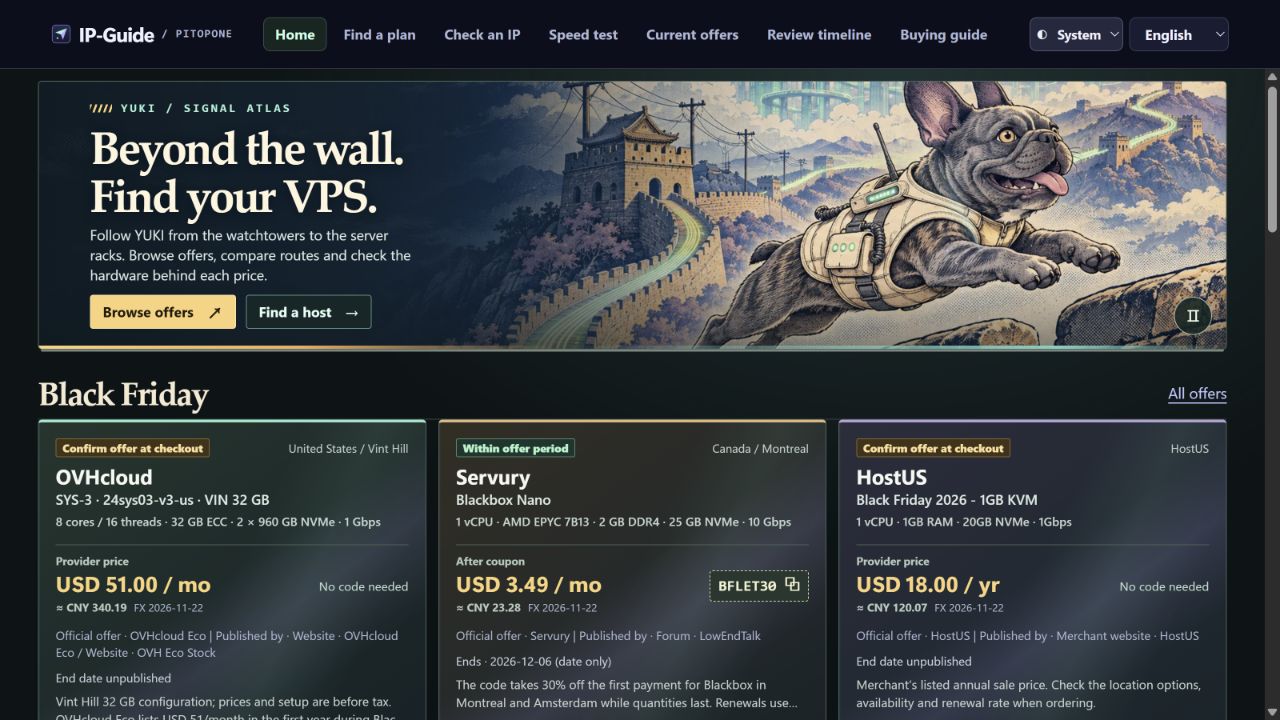
The language switcher in the top-right corner offers English, Simplified Chinese, Traditional Chinese, and Japanese.
Find and compare VPS plans
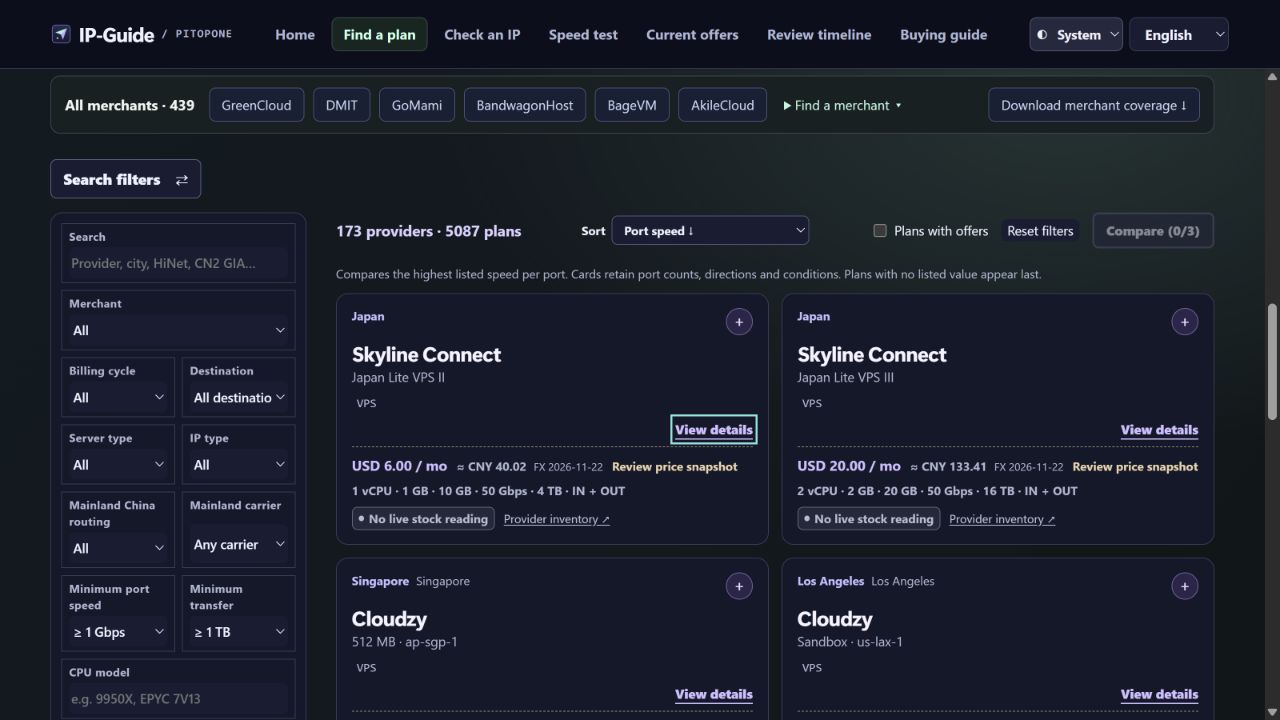
Start with a location, server type, and billing cycle. If the network matters, you can also filter by carrier, forward and return routing, and IP type.
- Port speed and transfer allowance. Try a minimum of 1 Gbps and 1 TB, sorted by port speed from highest to lowest. Open plan details to check separate upload and download speeds, which direction counts toward the transfer allowance, and any throttling terms.
- CPU model. Search for
EPYC 7V13or9950X. You can sort by CPU model name, core or vCPU count, port speed, or transfer allowance. CPU model sorting is alphabetical. Follow the original reviews for benchmark results. - Side-by-side comparison. Use the + on each card to add up to three plans, then click Compare. Copy filter link saves your filters and sort order in a shareable URL.
Try the 1 Gbps / 1 TB filter · Search for EPYC 7V13
Check residential IP claims
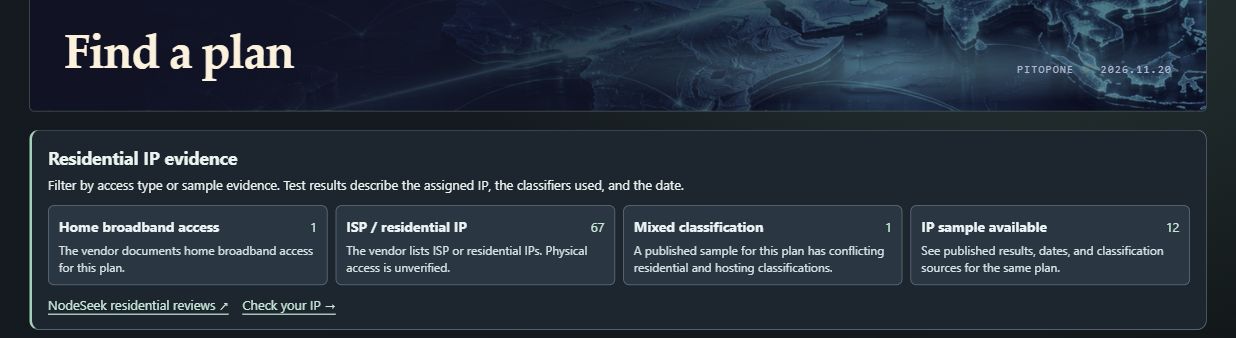
The Residential IP evidence section has four filters. Home broadband access flags plans with provider documentation for that access type. ISP / residential IP reflects how the provider describes the address. Mixed classification flags a published sample with conflicting residential and hosting classifications. IP sample available points to published tests and their sources.
Open a plan to check the sample, date, and original source. Classifications apply to the address and databases used in that test. If you receive a different IP, you can check it separately.
Check an IP looks up the announced BGP prefix and origin ASN for a public test IP or an address you were assigned. If you're choosing an IP for a particular AI service, you can also test access from that connection.
Open the residential IP filters · Look up an IP
Browse deals, restocks, and promo codes
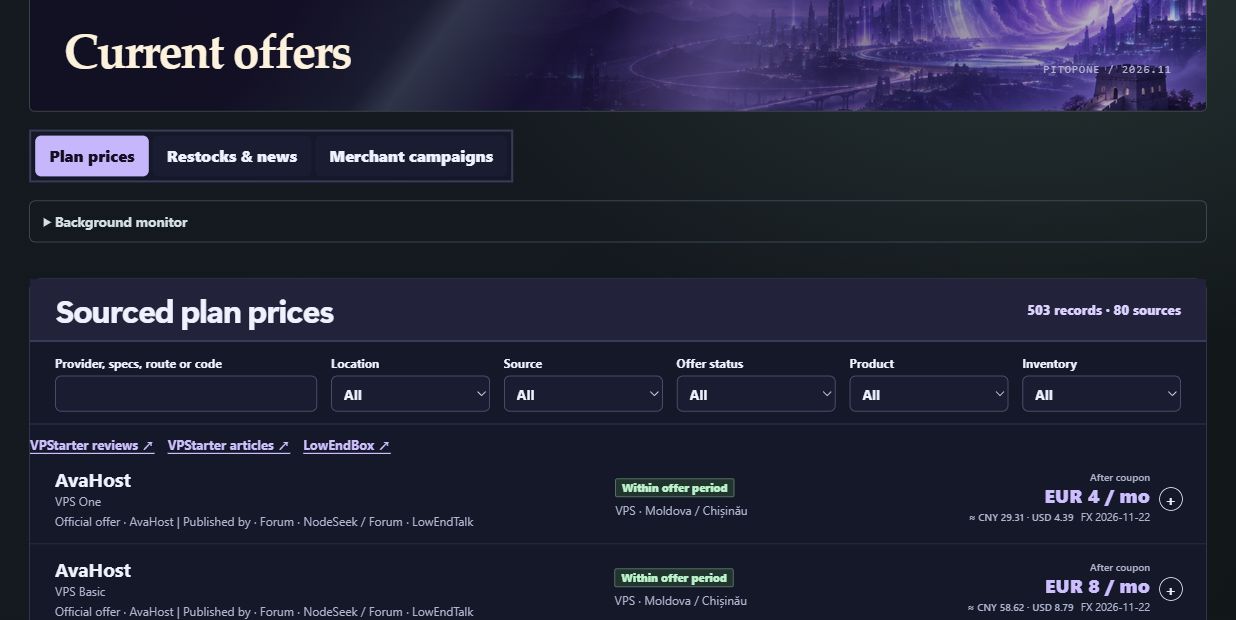
The homepage shows up to six recent deals and six Black Friday deals. Both lists can be expanded. Current offers has three tabs, Plan prices, Restocks & news, and Merchant campaigns.
Filter plan prices by location, source, offer status, and inventory. The restock and news feeds include NodeSeek, its group-buy section, and selected Telegram channels. Follow the original post or provider page to check stock, billing and renewal terms, the offer expiry, regional restrictions, and the price at checkout.
Test your connection and share the results
- Quick latency test takes about five seconds and measures browser HTTP latency and jitter.
- Full test takes about 90 seconds and uses more data. It measures idle HTTP latency, single-request downloads and uploads, and downloads and uploads with up to 16 parallel requests. The report shows effective concurrency, latency samples under load, and transfer statistics.
- Sharing options include copying a summary, downloading a PNG with the public IP masked, and creating a report link. There's also a separate Copy NodeSeek format option for the R4 color ANSI report.
HTTP latency uses IP-Guide's edge probes. Throughput uses Cloudflare Speed endpoints. The results describe your browser's connection to those endpoints at the time of the test.
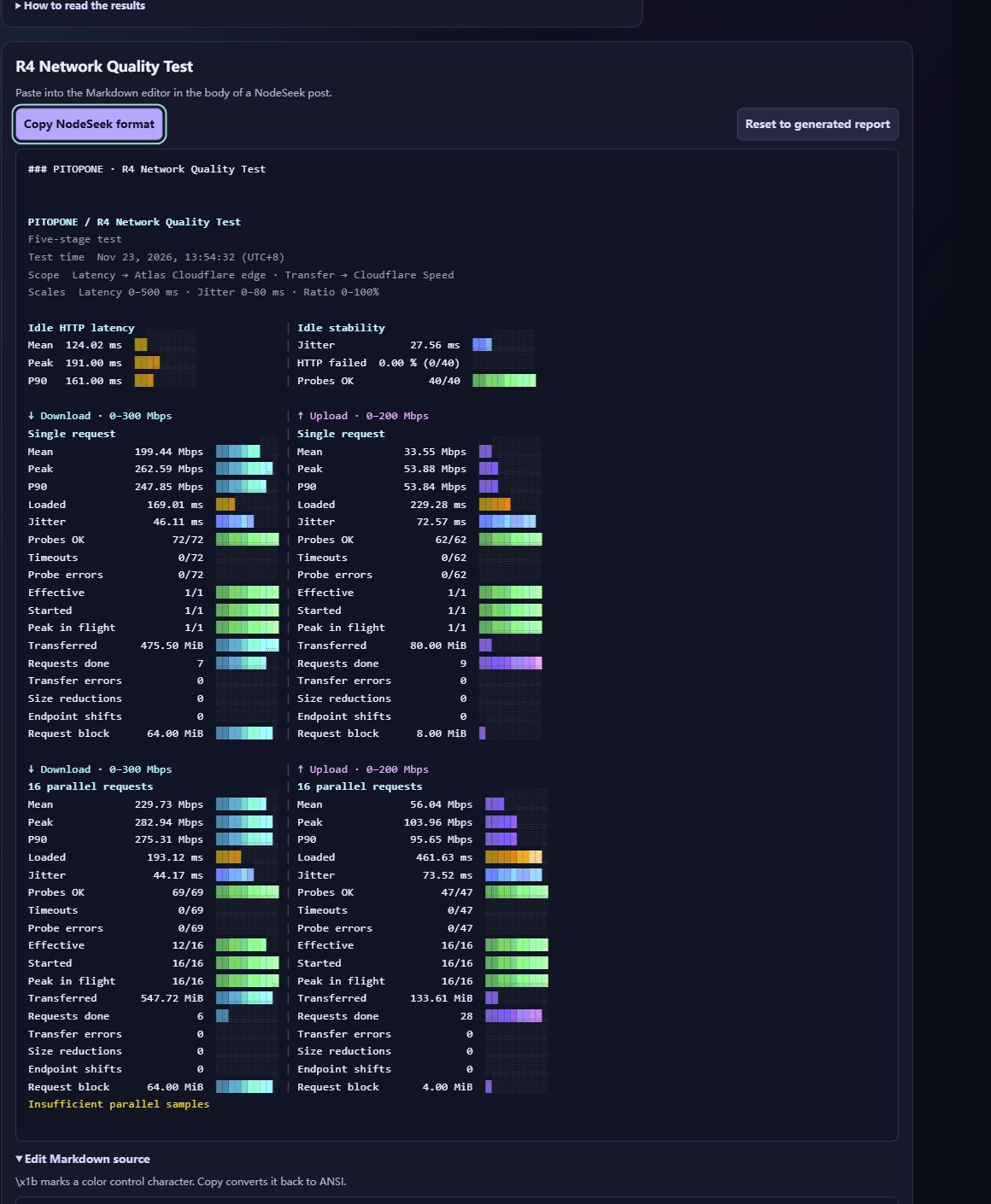
Actual R4 test result. The download stage recorded 12 of 16 effective requests and flagged insufficient parallel samples.
Read original reviews and buying guides
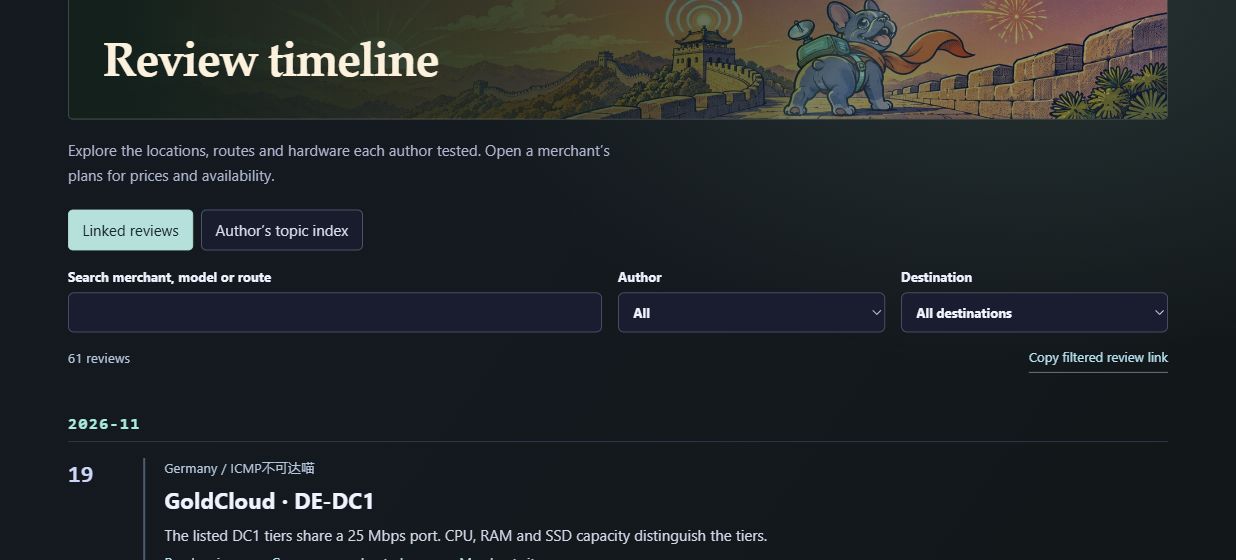
The Review timeline offers Linked reviews and an Author’s topic index. Search by provider, model, or route, narrow the results by author or destination, and copy a link to the filtered view.
The Buying guide is organized by region and covers plan selection, network operators, and routes. When comparing two products from the same provider, check the review's model, data center, and test date against the current product page.
Browse the review timeline · Open the buying guide
How often does the data refresh?
| Data | Typical refresh interval |
|---|---|
| Stock and prices | About 16 minutes for regular sources and 24–50 minutes for some providers. |
| Public restocks, new posts, and promo codes | Sources are polled about every 10 minutes. The selected restock feed refreshes about every 5 minutes while open. |
| Public provider catalogs | Priority catalogs target 20 minutes. Standard catalogs refresh about every 12 hours. An open directory page checks for a new snapshot about every 3 minutes. |
| Individual plan stock | About every 2 minutes while the plan details are open, where live stock checks are supported. |
| Currency conversion | Uses the latest available published daily rate. The conversion shows the rate date. |
These are refresh targets. If a provider changes its page, requires login, or is temporarily unreachable, check the listing's last successful update and confirm stock and pricing at checkout. The homepage may reuse featured offers if you reopen it shortly after a visit. You can expand either list any time.
Where the project stands
Thanks to everyone who has tried IP-Guide and shared feedback. I’m still adding VPS buying guides, network route references, and material on using VPSes with AI services, including information for users in mainland China. At this stage, the project isn't accepting commercial partnerships, advertising, or paid placements.
If you spot a missing plan, a promo code that still works, or a new review, please reply with the provider, plan name, original link, and date. If a plan is offered in several data centers, the test location and product page are useful too.
Which filters do you use most when shopping for a VPS?



Comments
Cool
No one cares
AI slop
Good for you?
Disgusting.
Fair enough, built it mostly for my own spec filtering anyway.