

























New on LowEndTalk? Please Register and read our Community Rules.
All new Registrations are manually reviewed and approved, so a short delay after registration may occur before your account becomes active.
All new Registrations are manually reviewed and approved, so a short delay after registration may occur before your account becomes active.



Comments
Filesystem corruption is a serious issue. You can have some pretty bulletproof setups (ZFS can be really good) but there's no guarantees. Backups are always the responsibility of the customer at the end of the day. A provider offers convenience unless they explicitly offer guarantees. And even then, your data is probably worth more than what you're paying the provider.
As part of disaster recovery, you need a way to verify that your data is correct. You can't assume that there's been no bit rot or other silent corruption. Ideally there isn't, but is it worth gambling with your data that way?
In developing Slow Servers, I ended up mounting my host's partitions with sync enabled. This slows down disk a lot, even with SSD, but if there is a power cut or a crash, it significantly reduces the chances of corruption. Another bonus is that it's less likely for the fsck to fail and the host to never come back. I don't like driving almost 2 hours (one way) out of the blue to deal with that! Thankfully, I haven't yet.
RAID 1 is interesting because it looks better on paper than it is in reality. Under OpenBSD, I found (with 512e/4K sector drives anyway) that it made filesystem corruption considerably more likely than without. And while drive failures definitely happen, power cuts and crashes do as well -- perhaps more frequently in some cases.
One tricky element to RAID 1 is that you don't know which copy of the data is correct. Now sometimes one drive will know that a sector is bad and report that, and you'll just get the good sector. That isn't guanteed all of the time, however, and if there was a power cut during writes, each drive may have two "valid" blocks that are different.
Now let's say you replace one drive but you're missing sectors. Now you're missing data. The only way to make RAID 1 fairly bulletproof is to have it act like a democracy where the majority wins. This forces you to have 3 or 4 drives in a pool, too. And it removes all of the read speed benefits of RAID 1. RAID Z1 or Z2 is a much nicer setup for most people. But OpenBSD doesn't have ZFS, so it's a no-go for me.
I worry a bit about sparse qcow files when crashes or corruption happens. It seems like there's more failure mechanisms. I ended up fully preallocating raw files for drives with Slow Servers. It's slow and hard on the drives, but seems like the safest method involving filesystems on filesystems. Raw block devices are obviously better on the whole. At a previous employer we were using LVM and it worked pretty well on the whole. You can do that with ZFS as well.
Anyway, this is a lot of tangents. I know it's not fun being responsible for everything that might happen with your data. There are tools that can help make some of this easier.
In practice, you're better off without RAID and having two or three hosts with data that is checksummed and signed (or the checksums are signed) so that you know you're getting back what you put into it.
One thing I like about BTRFS is the ability to run a scrub to check the data integrity.
If you haven't verified a restore works it is just hopes and dreams.
LOL You have never done a RAID5 rebuild then? It goes like this, especially on larger capacity arrays;
1) A drive fails
2) You replace the drive
3) Tell it to rebuild the array.
4) That rebuild takes then takes out the entire array.
Had that happen to me exactly once. Learned the hard lesson.. Do not rebuild arrays. DO NOT EVER REBUILD A RAID5 ARRAY.
Copy the data off, make a new array, then copy the data back to the array.
Nooo, don't mount as sync! The performance hit is not worth it and it will increase fragmentation badly and puts significantly (sometimes up to 100x) more wear on solid state drives. Mount it with
data=journalinstead which will give you the same reliability at a much lower (but still not-insignificant) overhead. That will commit all data to the journal before being written to the filesystem. It's far more aggressive than the default ofdata=orderedwhich only journals metadata and transaction info.You can use dm-integrity for that. Then any attempt to read the invalid block will return EIO.
Are you sure you're preallocating correctly? Most modern filesystems will allow you to use something like
fallocate(1)which does instant preallocation and shouldn't be hard or slow on any drive:There's no such options on OpenBSD.
Because I write one VPS volume with dd at a time, fragmentation should be minimal.
This definitely is harder on SSDs. I'm very particular about using MLC SSDs like the Samsung 850 Pro.
That's good to know! Also not something on OpenBSD.
I'm specifically not doing that. I'm using
ddfor OpenBSD images installed via a ISO, and this for images that are originally qcow.This takes quite a while.
It's deliberate because blocks written will prevent fragmentation. It's also another way to ensure I never overcommit disk. It's certainly possible to prevent that in other ways, but this is another way to make it more foolproof.
Ah, I forgot you use OpenBSD. I guess FFS2 doesn't support holes then? And no authenticated disk encryption either.
I sure hope OpenBSD supports TRIM, otherwise you'll start ending up in a situation where a write of even a single byte causes an entire erase block's worth of data being written (often 16 MiB or more).
I'm curious what kind of corruption you saw. I don't know much about OpenBSD's softraid implementation. Did it occur when rebuilding the array? Or did the array somehow get silently out of sync without being detected?
Sorry, I have a backup.
What a pity!
The thing is, external 3.5-inch HDD enclosures are not very portable because most of them require external power.
That's why you purchase this and put it at work, home, etc
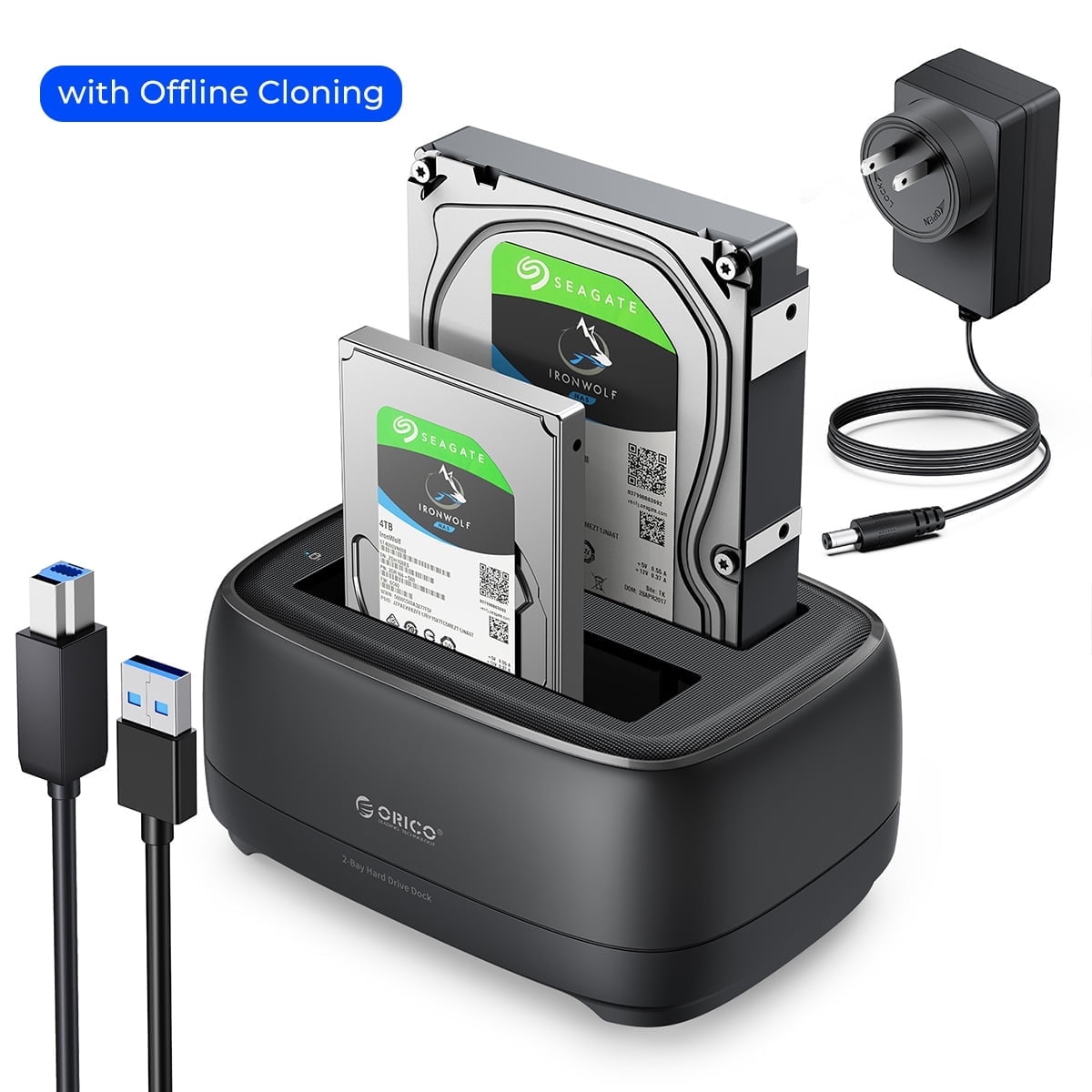
So? Majority of the systems you would be plugging it into also use external power. This means that external power is in the work area.
I would need to buy a UPS if it doesn't power with laptop's ports just in case electricity is out while backing up data.
I don't follow, why would I need it? And it requires external power. Anyway, I need to get a 4TB CMR HDD, they have gotten so expensive.
LOL. It beats bringing power supply everywhere. So, the solution is to have it where you want to access it.
4TB CMR HDD, expensive? It's still cheaper than buying 10-30TB drives.
How often does this happen? Thats insane they lose data
Check out the SAS drives if SATA looks expensive
I would like to answer your questions, but we would need more information, information that customers usually do not have:
“Storage server” is a very broad description. Some may call two drives in RAID 0 a storage server simply because it offers a lot of capacity, although I would not consider that a proper storage platform by any standard. The customer generally cannot see what is underneath the service, so the description alone tells us very little, or near to none.....
Even with RAID 6, RAID 10, RAID 60, RAIDZ1, RAIDZ2, RAIDZ3, or similar configurations, there is always a possibility of multiple drives failing beyond the redundancy offered by the array. The probability may be low, but it is not zero. ( and for the sake of Storage, raid 5 is not a go-to solution anymore, not since we passed the 6-7 TB mark / drive )
There is also significant risk when replacing a failed drive, and I see very little discussion about this. Rebuilding an array places a sustained workload on the remaining drives, often for many hours or even days on large-capacity arrays. RAID 10 generally limits the rebuild work to the affected mirror pair, while parity-based RAID ( 5,50,6,60, whatever Z you use ) normally requires reading data or parity across many all of the surviving drives while at the same time keeping the array operational.
If a second or third drive decides to “go to heaven” during that rebuild, the array can exceed its fault tolerance and become unusable. In other words, replacing the first failed drive may expose another marginal drive that had not yet failed under normal operation, but cannot keep up with 100% being used at it's full potential.
The RAID type determines how many additional failures can be tolerated, but no RAID configuration provides unlimited protection.
I can personally vouch for multi-drive-failure because it happened to us. Without necessarily blaming Seagate, a firmware-related issue caused multiple drives to “leave the chat” at approximately the same time. Recovery was almost nonexistent: some services could be recovered, while others could not. Simply scanning a 200+ TB array took days, making recovery slow as a snail and largely inefficient.
In recent years, we have also experienced more failures with newer, higher-capacity drives than with some of our older 4-8–12 TB drives. That has made me question the quality control of certain modern drive generations as well.
Should the provider be held accountable? That depends on what was actually sold. RAID is not a backup, and an SLA guaranteeing uptime does not necessarily guarantee data recovery.
If backups, restore points, replication, or data durability were explicitly included in the service, then you would not have posted here, as you would have had a backup.
If none of these were advertised, the service may legally and operationally be provided on a best-effort basis.
The provider should still be transparent about the failure and what protection was or was not in place, yet, I doubt most will admit failure, it does not look good PR wise.
However, unless managed backups were explicitly part of the package, customers should never assume that a storage VPS or storage server includes an independent backup. and, sincerley, please not assume things, as it will lead to.... popcorn threads?
My view is simple: whether you have 5 GB or 50 TB of important data, you need a separate backup, ideally with another provider or in another physical location.
Redundancy keeps a service running through certain hardware failures; a backup allows you to recover when redundancy is not enough or it failed, and things sometimes just fail regardless of how well they were engineered.
tldr best let storage provider?
SAS drive is too expensive for that stuff. SSD is much better option than SAS HDD
Nice toaster
but the power supply looks weak, I bet you have to wait a very long time for your toasts.
For cold storage I use Parchive, not only I also get bit rot protection but it is also very simple, very reliable and can be used with any media anywhere.
I will leave that open to debate.
Do me the math on a 320TB ssd array in 26 bays available as of today prices vs the most expensive sas you find ad 18TB.
For small and home use, yes, but for ENTP or sustained write, consumer SSD = Trash or a disaster waiting to happen, end ENTP SSD's cost as much as their weight in gold.
SATA, SAS, PCIE are connection types.... SSD is drive type. They make SSDs in SATA/SAS/PCIE
None of this really matters at scale because data is spread across disks and all that matters is bulk IOPS. I'll take 1000 SATA drives over any PCIE NVMe SSD
Fair point, to some extent, yet I might have been misunderstood.
SATA, SAS, and PCIe describe interconnects or protocol families, while HDD and SSD describe the type of storage device. PCIe is the bus and NVMe is the storage protocol running over it.
However, I disagree that these distinctions stop mattering at scale. At scale, they often matter even more because queueing, latency consistency, error recovery, redundancy, powerloss behaviour, controller architecture, power consumption, cooling, and failure rates all become part of the design in the end. Well, at least if you wish to have as little 3AM calls as possible
The biggest drawback for storage for SATA interface is NCQ, SATA supports up to 32 outstanding commands per device, while SAS will outpast that by times 2 or even 8, depending on make and model. ( 64,128 or 256 commands )
SAS is the serial successor to parallel SCSI implementations and generally support substantially deeper command queues and include enterprise-oriented capabilities such as full-duplex communication, multipathing and dual-port operation, the later might not be that important on most of the storage setups today unless the drives are used in storage shelves that have dual controllers.
This does not automatically make every SAS drive faster, but it can make a meaningful difference under heavily concurrent workloads and high number of devices used. The more devices used in the mix, the better you will see and feel the difference.
The more important distinction is therefore not simply SATA versus SAS, or even SSD versus HDD.
It is client-grade versus data-centre-grade, and whether the device is appropriate for its intended workload.
That choice influences how the storage system must be engineered, its sustainable IOPS and latency, its failure behaviour, and ultimately how many customer services it can accommodate comfortably without degrading under peak load.
Hence my signature: “If it can’t guarantee behavior under load, it doesn’t belong in production.”

There are consumer PCIe NVMe and SDD drives that can produce excellent outstanding benchmark results but are not designed for sustained, write-heavy, multi-tenant workloads.
The characteristics that matter include:
That was the point I was making: I am not criticizing SATA as an interface, nor am I claiming that every SAS or NVMe device is automatically superior. I am criticizing the use of consumer-grade devices in sustained, heavy-I/O environments for which they were never designed and expecting high uptime and an error free setup.
Consumer hardware is not necessarily bad hardware. The problem begins when it is deployed outside the workload and failure model it was designed for. ( right tool for the right job )
Since consumer hardware has become extremely fast, I have seen this kind of misuse a lot. The benchmark numbers may look impressive, but speed alone does not guarantee endurance, predictable failure behaviour, or data integrity under sustained workloads.
Yes, it may be fast, but if it wears out quickly or fails suddenly, was the short-term performance gain and nice benchmark numbers really worth the additional risk to the data integrity?
With a proper backplane and hardware the interface doesn't matter because the controller is the one handling the transfer.
This is the biggest thing I see here and with all these low end providers. They complain about consumer drives and SAS is so much better than SATA or whatever but thats only because they aren't using legit storage infrastructure.
This whole post is insane because I can't believe its standard for providers not to have proper infrastructure and resiliency.
No legit provider is running their entire infrastructure on single server hardware raid. They're all running enterprise SAN either physical or virtual. This is the only place I've ever seen people even concerned about data loss.
@host_c what infrastructure are you running?
Which LET provider provide that infrastructure?
All of them need to. Are you saying they don't? How are they handling if raid card failure or anything else?
You are correct about the SAN part, so I presume NetApp, EMC, Dell PowerVault and similar platforms are familiar territory for you. In that case, I also presume you are accustomed to iSCSI over Ethernet and Fibre Channel.
Finally, a man of culture.

However, I disagree that the drive interface becomes irrelevant simply because a proper backplane and controller are being used. A controller cannot give a SATA drive SAS features such as dual-port connectivity, nor can it turn a consumer SSD into an enterprise drive with appropriate endurance, firmware behaviour and genuine power-loss protection.
The individual drive model and intended workload matter more than simply saying “SAS good, SATA bad,” but the controller does not erase the differences between consumer and enterprise media.
Now, to the question of why this forum contains so much local storage rather than enterprise SAN infrastructure: have you looked at the prices of the services being sold here?
A substantial proportion of LE* providers use Proxmox. Proxmox does support iSCSI and Fibre Channel, including multipathing and shared LVM. What it does not provide is a direct equivalent to VMware’s VMFS a mature, tightly integrated clustered filesystem and SAN workflow covering all the operational features people have become accustomed to in vSphere.
Proxmox instead placed much of its development focus on Ceph. I am not interested in restarting the Ceph debate here.
NFS is also officially supported, and I will not claim that NFS is inherently incapable of hosting virtual machines. High-end NFS systems can deliver enormous performance, and VMware has supported NFS datastores for years.
Nevertheless, we consider centralized NFS a hard no for our Proxmox production environment. When the storage server or path becomes unavailable, Linux NFS clients can leave VM I/O stuck in uninterruptible waits. Redundant Arista switches, multiple 40 Gbps links and LACP do not eliminate every server-side, protocol-level or failure-recovery scenario.
Later NFS versions have improved parallelism, session handling and recovery, but we could not obtain failure behaviour under Proxmox that we considered safe and predictable for commercial VPS hosting. We spent almost a year and more than $15k testing different approaches. Perhaps someone else has solved it properly; if so, I am genuinely willing to listen. We did not manage to make it behave acceptably for our requirements.
CIFS for active VM storage is, in my opinion, an even less attractive option.
That leaves the usual SAN candidates: iSCSI over Ethernet or Fibre Channel. FC remains my first love for storage transport. It was designed specifically for this job, its failure behaviour is predictable, and a properly engineered FC fabric is extremely difficult to beat. ( near to none I might say )
The missing piece for us is not basic SAN connectivity. Proxmox can access iSCSI and FC storage. The limitation is the absence of a VMFS-equivalent operational model. Shared LVM works, but it does not provide the same combination of filesystem semantics, flexibility, integration and management experience that VMFS provides.
GFS2 and OCFS2 exist, but neither is a simple, fully integrated VMFS replacement within Proxmox. They introduce DLM, fencing and additional cluster complexity. Storage is exactly where I do not want an unnecessarily complicated recovery procedure waiting for me at 3AM.
I have been a VMware user since version 5. We still operate deployments where VMs run from NetApp, EMC and TrueNAS storage over iSCSI or FC. Some of those environments have been rock-solid for more than a decade.
Unfortunately, VMware’s current licensing economics cannot realistically be included in a VPS costing $5, $10 or even $20 per month.
For the time being, while we use Proxmox, we have therefore standardized much of our platform on local storage inside each physical server. We use mostly Dell R740xd nodes with tested PERC configurations, protected controller cache and RAID 10 or RAID 60, depending on the service class.
If a controller fails, we have compatible spares and tested procedures for importing the existing foreign RAID configuration onto the replacement controller. We standardized on the Generation 14 platform partly because we wanted consistent, tested controller and recovery behaviour across the fleet; we had operational difficulties with parts of our previous Generation 13 environment.
Is local RAID equivalent to shared HA storage? No, and I would not pretend that it is. A complete node failure affects the services stored on that node until the hardware is repaired or the services are restored elsewhere.
However, that does not make local RAID “improper infrastructure.” It represents a different architecture, price point and failure domain. A dual-controller SAN can also fail because of firmware, shared backplane faults, human error or a failed non-disruptive upgrade and when it does, it may affect an entire cluster rather than one node, I do have a big story on this, hands on experience, and sincerity, I take my chances with a failed node rather then with a 1PB storage SAN when shit hit's the fan.
“Proper infrastructure and resiliency” therefore needs context.
Are you hoping for AWS or Microsoft reliability on a $20 / mo VPS sold on a forum?
Both approaches are valid, but they serve different purposes.
Same. 24 TB that has almost certainly started bitrotting by now. Never let any construction worker remotely close to your fucking street even -.-
Edit:
4) That rebuild takes out another drive which then takes out the entire array
Missed a couple words, actually makes sense now.
I've experienced a construction worker building a new headquarters for the power company in the capital city take out power to the entire city. Oops..