



























All new Registrations are manually reviewed and approved, so a short delay after registration may occur before your account becomes active.
Ditch the Vercel PaaS Markup: Self-Host Coolify on Your VPS

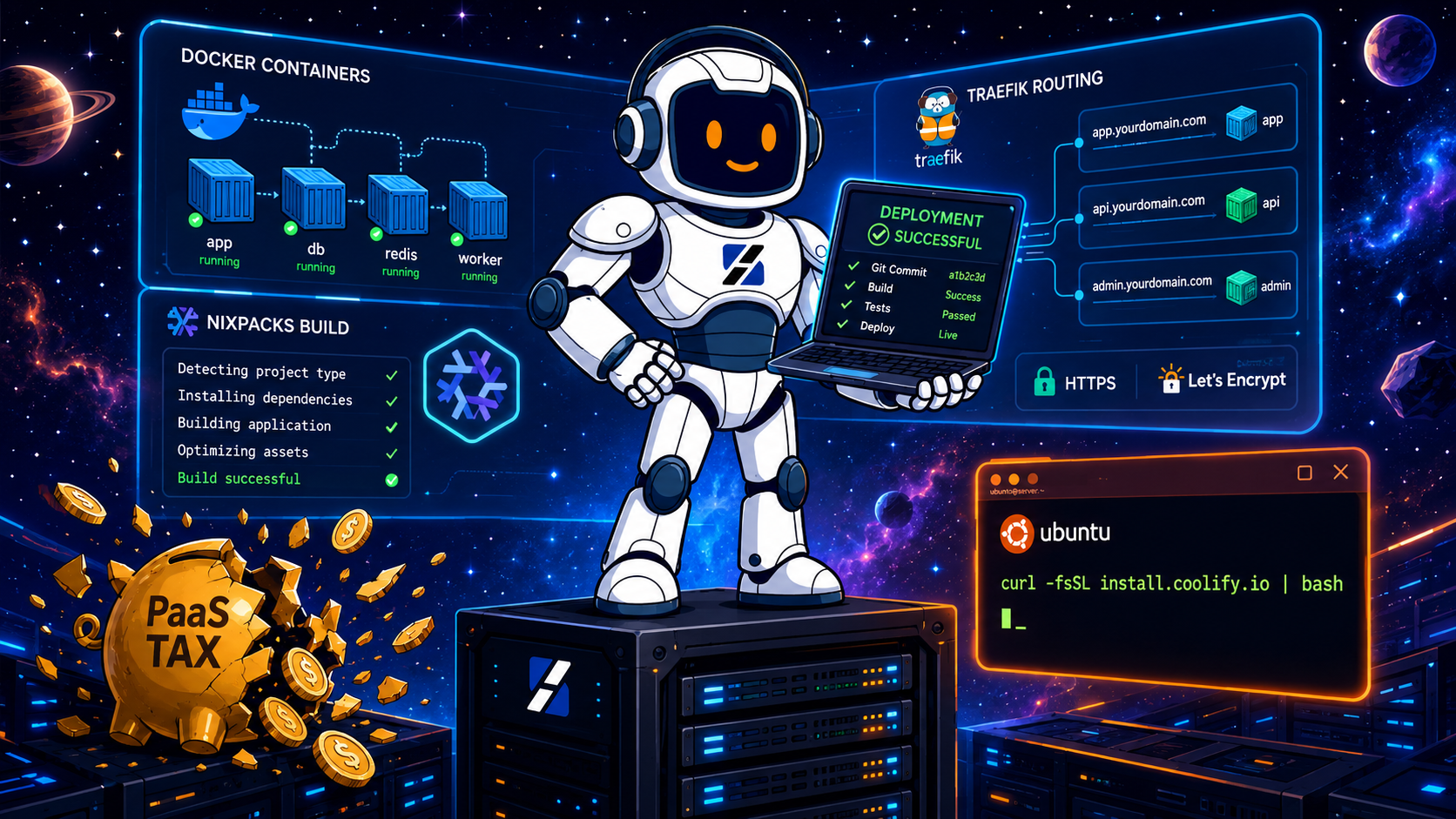
Spin up Coolify on a 2-vCPU/4-GB KVM VPS in under 10 minutes and get Vercel-like deployments with zero per-seat fees. Coolify is an open-source PaaS that runs on your own box, talks to GitHub, builds with Nixpacks, and serves over HTTPS via Traefik. You pay only for the VPS—no bandwidth overages, no seat limits, no surprise invoices.
This guide covers install, hardening, port-fixes, first deploy, and when DIY makes sense versus managed hosting.
Why Devs Are Leaving Managed PaaS
Vercel, Heroku, and Render charge for convenience. Add teammates, background workers, or exceed bandwidth and a $20 project becomes a $200 invoice.
Coolify removes the vendor. You bring the server; it brings automation: git-push deploys, auto TLS, preview URLs, one-click databases, and health checks on hardware you control. Tradeoff: you handle updates, backups, and security. If SSH feels like home, the savings are worth it. If not, the debugging time can cost more than the subscription.
VPS Requirements
Coolify runs inside Docker and needs Engine, Traefik, internal PostgreSQL, and build headroom. Official minimums:
- CPU: 2 cores
- RAM: 2 GB
- Disk: 30 GB SSD
- OS: Ubuntu 20.04+ (24.04 recommended)
- Network: public IPv4; ports 22, 80, 443, 8000 open
In practice Coolify alone eats 750 MB–1.2 GB RAM. On 2 GB that leaves ~800 MB for your app—fine for one slim Node.js or PHP service, but zero headroom for builds or traffic spikes. For production or multiple projects, start at 4 GB. If you’re stacking PostgreSQL, Redis, and Next.js, budget 8 GB.
Nixpacks builds are CPU-hungry. A dedicated KVM core compiles predictably; a shared vCPU throttled by neighbors does not. ServerSpan offers shared LXC and dedicated KVM VMs. LXC works for light tests; KVM is the smarter foundation for production.
Step 1: Harden the Server
Start with clean Ubuntu 24.04. Port conflicts on 80/443 are the top reason installs fail. If NGINX or Apache runs, decide now whether to evict it or re-map Traefik. For a first install, a blank box is fastest.
sudo apt update && sudo apt upgrade -y
sudo apt install curl wget git ufw fail2ban -y
adduser deployer && usermod -aG sudo deployer
sudo ufw allow 22/tcp
sudo ufw allow 80/tcp
sudo ufw allow 443/tcp
sudo ufw allow 8000/tcp
sudo ufw enable
sudo systemctl enable --now fail2ban
Switch to SSH keys if you haven’t. Coolify generates its own key pair to manage Docker, so key-based auth must work.
Step 2: Install Coolify
One official installer handles everything:
curl -fsSL https://cdn.coollabs.io/coolify/install.sh | bash
Takes 3–5 minutes on SSD. When done, the terminal prints the dashboard URL—usually http://your-server-ip:8000. It also warns you to back up /data/coolify/source/.env (encryption keys + DB creds). Copy it to secure storage immediately.
Verify containers:
docker ps | grep coolify
You should see coolify, coolify-realtime, coolify-proxy (Traefik), and coolify-database (PostgreSQL). If anything is missing, check /data/coolify/source/installation-*.log or journalctl -u docker -f.
Step 3: First Login & Lockdown
Open the dashboard URL. The first account becomes admin—use a strong password and real email.
During onboarding choose localhost for a single-server setup.
Immediately go to Settings → Configuration and disable public registration. If port 8000 is internet-facing, anyone who finds your IP can create an account until you flip this off.
Set your instance domain under Settings → Instance Domain (e.g. https://coolify.yourdomain.com). Point an A record to your server IP, save, and Coolify grabs a Let’s Encrypt cert through Traefik, forcing HTTP→HTTPS.
Step 4: Deploy Your First App
Coolify supports GitHub, GitLab, and Bitbucket. Connect your source under Sources, create a project, and add an application.
- Pick repository and branch.
- Choose build pack. Nixpacks auto-detects Node.js, Python, Go, PHP, static.
- Add domain and enable auto-HTTPS.
- Set env vars if needed.
- Hit Deploy.
Coolify clones, builds the Docker image, starts the container, and tells Traefik where to route. First build for a typical Next.js/Laravel app takes 1–3 minutes.
Need a database? New Resource → Database → PostgreSQL, MySQL, Redis, or MongoDB. It runs on the same Docker network; connect via internal hostnames like postgres or redis.
Step 5: Fix Common First-Install Problems
Traefik can’t bind 80/443
Check what holds the port:
sudo ss -tlnp | grep -E ':(80|443)'
If NGINX appears, stop and disable it, then restart the proxy:
sudo systemctl stop nginx && sudo systemctl disable nginx
cd /data/coolify/source && docker compose restart coolify-proxy
If you must keep NGINX, proxy it upstream to Traefik on alternate ports—but that adds friction. For a dedicated PaaS box, removing NGINX is cleaner.
Build failures / logs
Check Application → Deployments → [latest build] in the dashboard. If truncated:
docker logs coolify-builder --tail 200
Common culprits: OOM kills during npm install, missing build scripts, or native dependency errors. Exit code 137 = Linux OOM killer. Add RAM.
SSL not issuing
Let’s Encrypt needs valid DNS, reachable port 80, and no rate limits. Verify DNS:
dig +short yourdomain.com
Check Traefik ACME logs:
docker logs coolify-proxy 2>&1 | grep -i acme
Limit: 5 certs per domain per week. If hit, wait or use staging until the window resets.
Step 6: Size Your VPS Correctly
Coolify reserves ~750 MB–1.2 GB RAM for itself.
| Plan | Specs | Fit |
|---|---|---|
| ct.Entry | 1C / 512M / 10G | Too small. Below minimums. |
| ct.Ready | 2C / 2G / 25G | One lightweight app only. No margin. |
| ct.Steady | 4C / 4G / 50G | Good start. One app + one DB. |
| ct.Go | 4C / 8G / 80G | Comfortable. Multiple apps + DBs. |
LXC plans work for evaluation and small static sites. For production, KVM gives dedicated cores. A Nixpacks build that takes 90 seconds on dedicated silicon can drag for 5+ minutes on an oversubscribed shared host.
Docker images and build caches eat disk fast. A 25 GB VPS fills quickly after pulling Node.js base images. Budget 50 GB+ and monitor with df -h and docker system df.
Security & Maintenance
A self-hosted PaaS is a production control plane. If it falls, every app and DB on the box falls with it.
- Enable
unattended-upgrades. - Back up
/data/coolify/source/.envexternally. Lose it = lose the instance. - Run
docker system prune -a --volumesmonthly during a maintenance window. - Set log rotation in
/etc/docker/daemon.json. - Restrict port 8000 to your IP or VPN once the instance domain works.
- Audit Settings → Members monthly; remove ex-team members immediately.
For deeper Docker production guidance, see ServerSpan’s guide on managing Docker and containers on a VPS.
When Self-Hosting Makes Sense (and When It Doesn’t)
DIY fits when you want predictable costs, full data control, and unlimited deploys on a fixed bill. Great for solo devs, small agencies, and startups refusing per-seat fees.
It’s wrong when nobody has time to patch the OS, watch disk space, rotate logs, or debug builds at 2 a.m. A broken client pipeline is a deadline disaster. If no one is watching the server, managed hosting is safer.
The classic failure isn’t install—it’s month six, when images have drifted, logs filled the disk, and a kernel update has been pending for weeks. Coolify automates deploys; it does not eliminate server administration.
Next Steps
Ready? Grab a 4 GB RAM server, clean Ubuntu 24.04, install Coolify, harden the firewall, connect Git, and deploy. Server creation to live app takes under 30 minutes.
For multiple client projects needing dedicated resources without noisy-neighbor builds, compare ServerSpan’s KVM VPS hosting options and pick cores/RAM to match your workload.
Prefer to focus on code while someone else handles infrastructure? ServerSpan’s Linux server administration service manages hardening, updates, logs, and recovery while you deploy through Coolify.
FAQ
2 GB RAM enough? One lightweight app only. Coolify uses 750 MB–1.2 GB itself. Growth or spikes trigger OOM kills.
Debian instead of Ubuntu? Yes, Debian 11+. Ubuntu 24.04 is recommended for testing coverage and cloud driver support.
Existing NGINX? Only if you remap ports. Both Traefik and NGINX default to 80/443. Stop NGINX, use alternate ports with an NGINX upstream, or migrate sites into Coolify containers.
Where are backups stored? Coolify can ship DB backups to any S3-compatible store. It does not back up the host OS. Use provider snapshots or server-level backups.
Free for commercial use? Yes. Apache 2.0. No per-app or per-seat cost. Pay only for the VPS and external services.
Full tutorial on ServerSpan.



Comments
A for effort on the backlinks. They are all no follows, don't give us this AI slop shit
In the age of AI desperation for more training data, I don't think they follow or care about those anymore.
And the first link to their site is a 404, lol.
Imagine an AI trained purely on LET, we'd be fucked
That's enough RAM for Mariadb/Postgres + Mongo + Redis
So much AI that it got our link wrong....
https://ibb.co/Q7KyTM9G
For all our AI setups we have direct MCP connections to all our site functions... It would not insert a bad link.
That was a real article not yet published, but from admin area I mistakenly saw it as published article. Fixed anyway.
Don't try and act like this isn't AI slop. You forgot to remove 6 emdashes, 8 →'s, the main image is AI and your whole website is AI. You may as well become an AI.
Our URL Slugs are auto-generated. I have just copied the URL from the share button... Have not actually paid attention to the URL itself.
The image... That's a different story. Last time I had to pay few hundred dollas to make me a thumbnail so I can please LET critics was... Never. Highly doubt that will change.
No idea what you're talking about. AI slop, stop lying.
How retarded do you think we are?
Yes for sure you wrote this AI slop manually. For sure you recommend new setups to use Ubuntu 24.04. For sure not just AI with outdated training data.
Highly likely AI slop
Can't really answer to the bold part, regarding you, without breaking any rules, so I'd simply say that I've never met a person with such tremendous intelligence, high IQ and attention to the details ever. I also lied with this description.
Now, you seem to mix two concepts together: AI written and AI proofing.
AI written -> Gimme an article about how you can install SSH on ubuntu.
AI proof -> Here is my draft for an article regarding SSH installation on ubuntu. Please make sure it is well structured, easy to read, follow and understand. Make sure there are no obvious grammar mistakes. Format it for (facebook|a forum board|knowledgebase|internal training|etc.).
So, again, NO is NOT AI written, the original draft is made by me. This is also the reason AI score is so low, because most of the text is mine, with very few AI additions. => low token prediction pattern => no usual AI behavior.
Why Ubuntu 24.04?
It is available for quite a while, has a lot of compatibility layers, dependencies, mirros ... etc.; on top of that, it's an extremely stable operating system with LTS support 'till 2029 and people seem to prefer ubuntu more than debian (which I prefer).
If you would've followed my posts, that you'd know about me: I do not jump on latest release, just because it's new. I stick with stable systems, not newest systems. As it happens, I also wrote a post on my personal blog about this preference.
AI assessment: https://www.perplexity.ai/search/030e2304-e562-4c0f-8a06-ff27557c494d
just because you prompted the ai with more than 5 words doesn't make your ai generated article not be an ai generated article
just because you insist on knowing what you talk about doesn't mean you actually know what you're talking about.
Just because you think you're special enough to deserve an exception to the no AI generated content rule doesn't mean that anyone else thinks that you are.
Asked the mods, got a green light with the article. Not happy? Become a mod and delete it.
@angstrom is it true that @Andreix is approved for an exception to the no AI rule?
Hello sir, my PaaS is a ingrained abnormality. Please kindly provide directions.
In 200 meters, turn.
Sir, i inquire Nixpack under 10 minutes and no seat, is it possible?
Misleading. 0/0. Would not traefik under 10 minutes zero seat again.
@Andreix
You may link to a largely AI-generated tutorial if you think that it may be useful to others, but please don't post largely AI-generated tutorials on the forum
Thread closed