
























New on LowEndTalk? Please Register and read our Community Rules.
All new Registrations are manually reviewed and approved, so a short delay after registration may occur before your account becomes active.
All new Registrations are manually reviewed and approved, so a short delay after registration may occur before your account becomes active.
Need Help Installing Windows 11 on OVH Dedicated Server

Hey everyone,
I’m trying to install Windows 11 on my OVH Dedicated Server and could use some help.
In the past, I’ve installed Windows RDP on VPS setups using @letsvps ’s reinstall script (from this post: https://lowendtalk.com/discussion/186469
), and it worked perfectly. But this method doesn’t seem to work on a dedicated server—possibly due to some netboot issue, which I don’t fully understand.
Has anyone here successfully installed Windows 11 on an OVH dedicated machine?
If you’ve done it before, could you please share the steps or guide me through the process?
My main goal is just to set up a working Windows Remote Desktop on my dedicated server.
Thanks in advance for any help or advice!
Thanked by 1mans_xd



Comments
Use Dockur
https://github.com/dockur/windows
Windows in docker container
https://github.com/bin456789/reinstall
I’m a big fan of your work and have successfully used your script on several VPS setups to install Windows. Recently, I purchased an OVH dedicated server, but it seems the boot system is a bit different. I tried your usual method, but it didn’t work.
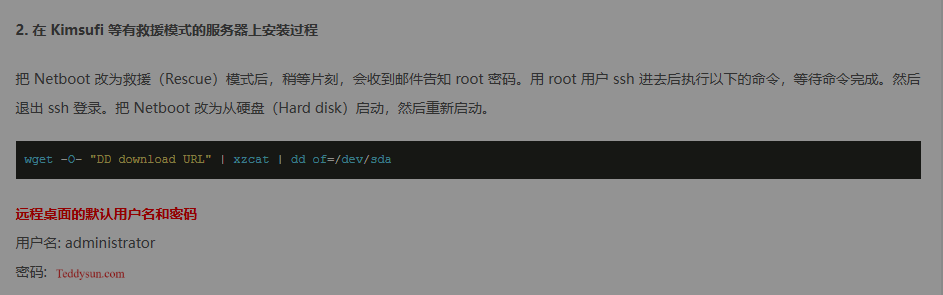
I also followed your Kimsufi rescue mode instructions (see screenshot below), but unfortunately, it still didn’t work.
It can be easily installed as a VM on Proxmox, you can do it that way if it helps.
You can perform the installation using our QEMU setup guide
https://wiki.spacecore.pro/en/windows/installing-via-qemu
This issue has already been discussed in other threads, and you may find a solution to your problem there. Check out the links I'm leaving below.