
























All new Registrations are manually reviewed and approved, so a short delay after registration may occur before your account becomes active.
ChronoFrame: A Self-Hosted Photo Gallery App with Use Management Tools

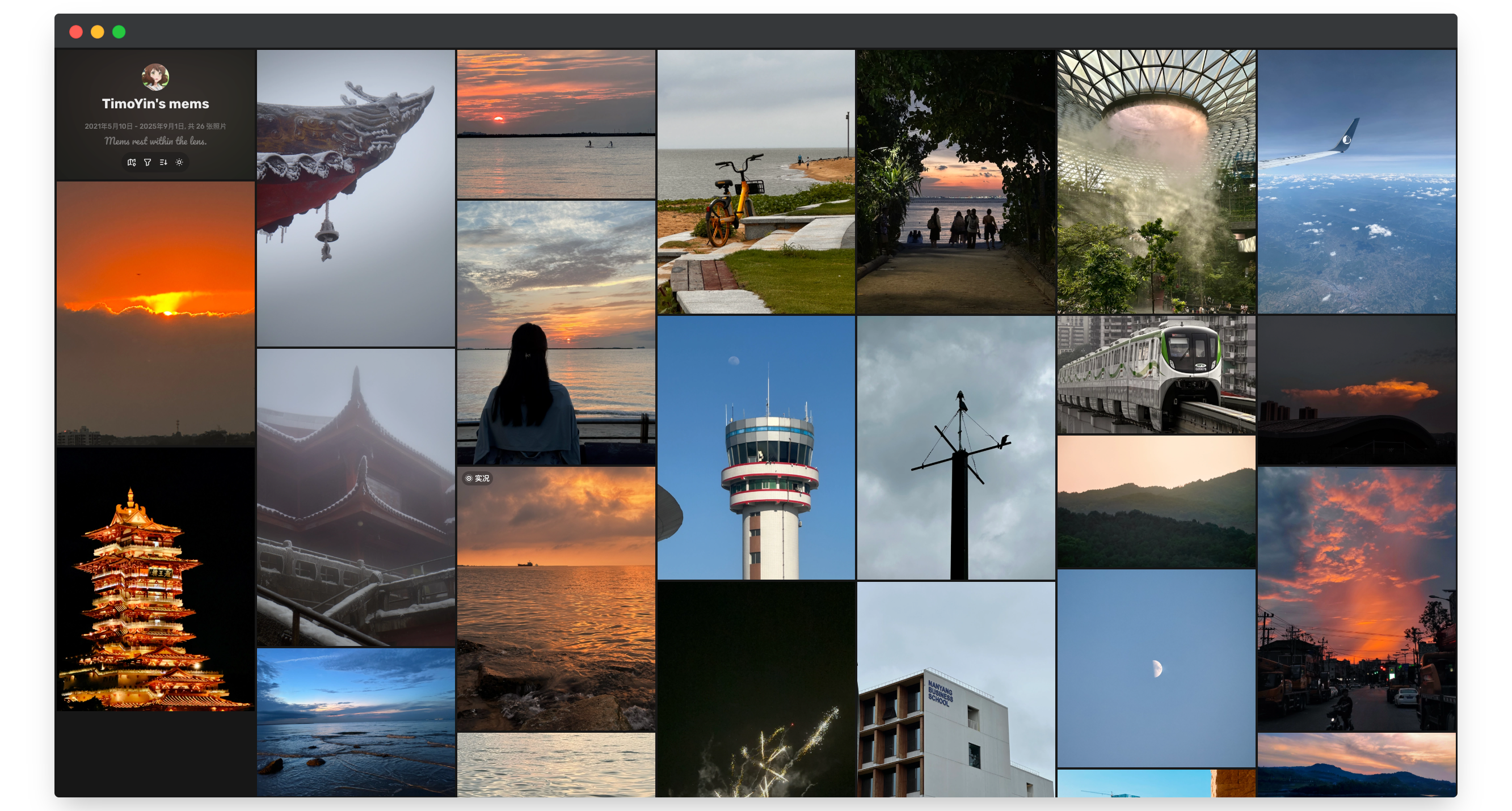
I'd like to share a new open-source project called ChronoFrame, a self-hosted photo management and gallery application. It's built for those who want to take full control of their photo collection, with a focus on an elegant interface and powerful features.
Key Features
*Online Photo Management: A beautiful, responsive web interface lets you easily browse and manage your entire photo library.
Waterfall-style Gallery: A modern, infinite scroll interface for seamless photo browsing.
Live Photo Support: View your Apple Live Photos directly within the gallery.
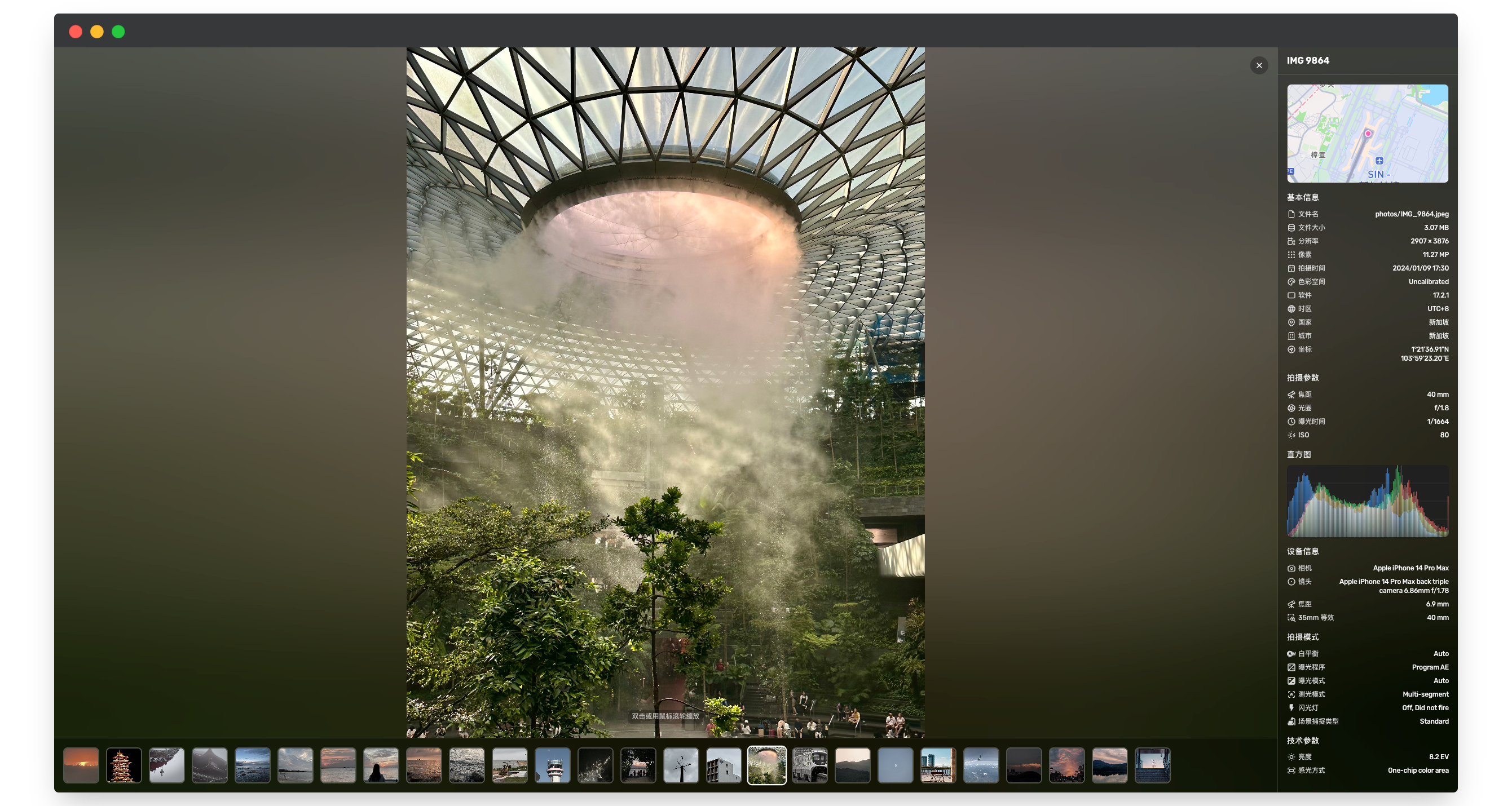
Smart EXIF Parsing: Automatically extracts and organizes your photos by key metadata like capture time, camera settings, and location.
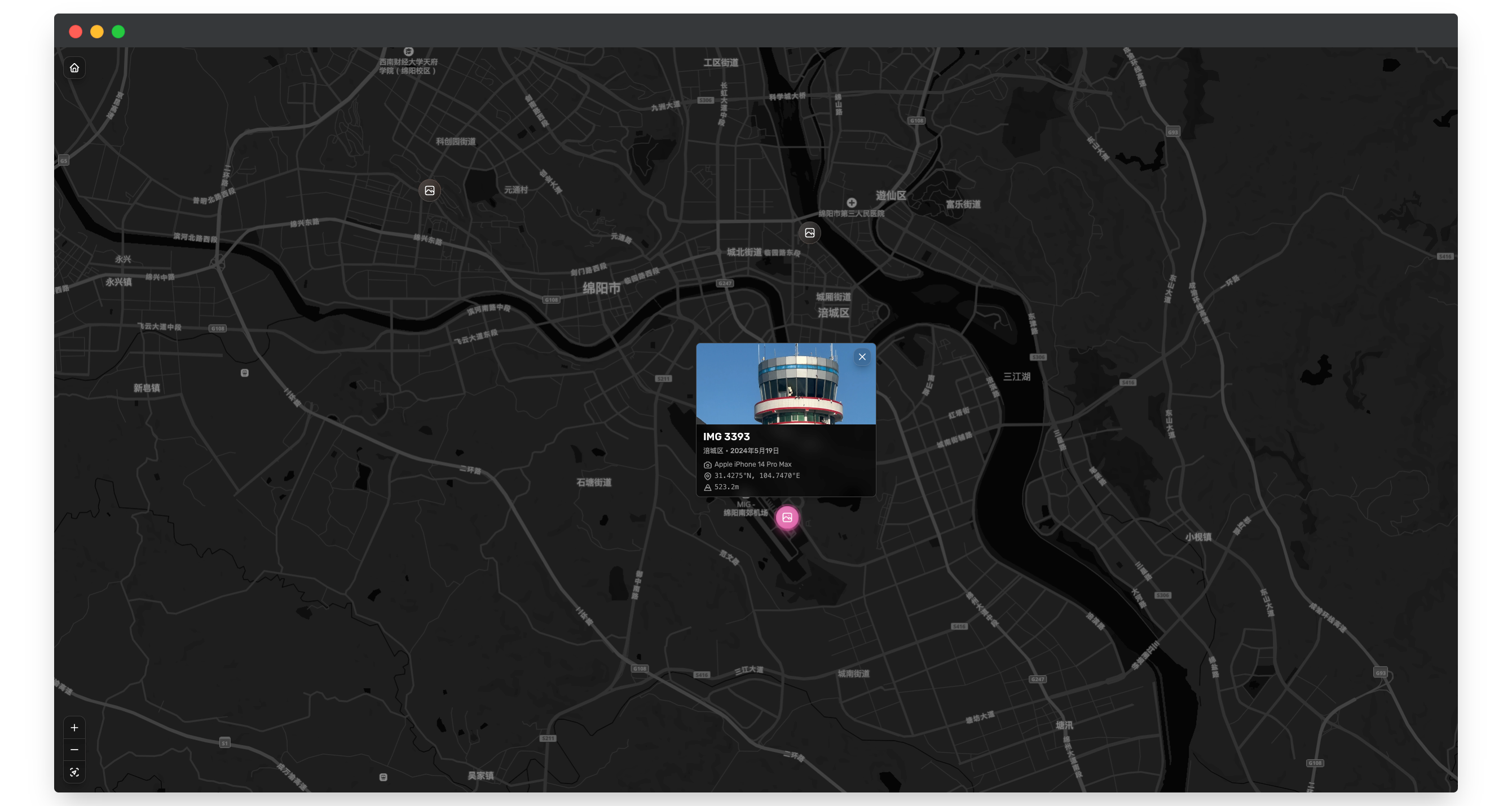
Geographical Exploration: Automatically identifies photo locations and lets you explore them on an interactive map.
Multi-format Support: Compatible with popular formats like JPEG, PNG, and HEIC/HEIF.
Smart Thumbnails: Uses ThumbHash for efficient and fast thumbnail generation.
Why ChronoFrame?
ChronoFrame is designed for fast and easy deployment. It supports Docker, so you can get it up and running on your own server in minutes. It also uses S3-compatible storage (like AWS S3 or Cloudflare R2), giving you flexible and scalable storage options.
Take back control of your photos and set up your own private photo gallery.
GitHub: https://github.com/HoshinoSuzumi/chronoframe
Demo: https://lens.bh8.ga/



Comments
I am not the author. I just really like this project and wanted to share it. If you have any questions, please use English to report them on GitHub.
Looks like very specific project: it requires email of your Github account, Mapbox API key, S3 storage with no local option. And the backend is Javascript, why?
As I deployed it before, the Email is to work with a GitHub oAuth App for quick login, MapBox works with GPS location in exif info, S3 compatible storage so that we can easily expand the storage.
Yes, it uses node and Nuxtjs, and a SQLite database, but it has a very low footprint and is very fast to deploy using Docker. For S3 compatible storage I used Cloudflare R2 and it worked great.
How does it compare to something like immich?
Looks nice on mobile too. Thanks for sharing. This is interesting
Both have some features, such as Exif information, GPS location map extraction, and image upload. Immich has better image management and sharing features (it is like a Google Photos alternative), while ChronoFrame focuses more on display. Just upload the image to the dashboard after deployment and enjoy. All Exif information or keywords should be written to the image before uploading, that's it.
Looks clean and fast on my side, and I like the user roles setup. Curious how it handles large libraries—any slowdown once you hit a few thousand photos?
I run something similar for my family, and syncing new uploads directly to a NFS share works great. For sharing with non-techy relatives, I’ve been using https://www.nixplay.com/ digital frames—they pull from a cloud album, so I sync Chronoframe exports into a watched folder. That way, my parents see updated pics without needing to do anything. Pretty smooth setup once it's linked.