



























All new Registrations are manually reviewed and approved, so a short delay after registration may occur before your account becomes active.
【inst.sh】how to reinstall nat linux to public accessible windows(win to linux also feasible)

another killer feature!!
we can now use inst.sh to reinstall a nat vps ( which may not be access from internet with any method, like a nas, a home server, or a office pc) into a public accessible one, all cooperated only with a self-hosting NAT Traversal server
setup the rathole nat server
prepare a vps equipped with a public ip (which it is NOT the vps you wanna take a reinstall):
download binary from https://github.com/rapiz1/rathole/releases/download/v0.4.8/rathole-x86_64-unknown-linux-musl.zip ,unzip it
write a configure named server.toml under the same directory
[server]
bind_addr = "0.0.0.0:2333"
default_token = "default_token_if_not_specify"
heartbeat_interval = 30
[server.services.1]
bind_addr = "0.0.0.0:8000"
[server.services.22]
bind_addr = "0.0.0.0:1022"
[server.services.80]
bind_addr = "0.0.0.0:1080"
[server.services.3389]
bind_addr = "0.0.0.0:13389"
[server.services.8000]
bind_addr = "0.0.0.0:18000"
the [server.services.3389] chunk is used later by inst.sh, ensure the 13389 not used by other processes
server it
./rathole server.toml
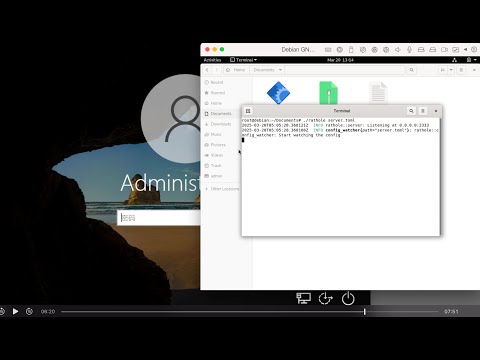
after reinstallation done in the log window it will pop up the 13389 related entries for nat proxied windows rdp service
but for now it only shows 0.0.0.0:2333 for listening
run inst.sh command
in the linux ssh of the vps you wanna take a reinstall, type:
wget -qO- inst.sh|bash -s - -o 3389:ratholeip -t windowsgzurl
this expose the local nat 3389 to remote rathole server on its 13389, it is ok that some prefer to express it inversely, it is just subtle differences in words
if for win to linux, just ahead to https://github.com/minlearn/inst to find the instruction how to run inst.sh under windows
also you can append the debug switch "-d 22:ratholeip" in the tail part of the command during the reinstallation to moniter the reinstallation process, also ahead to https://github.com/minlearn/inst to find the related instruction
3, after reinstallation done
find in the log windows in the ratholeip vps
check if it popped up the 13389
if yes, then you can connect the windows rdp sevrvice now with ratholeip:13389
inst.sh:
https://github.com/minlearn/inst
rathole:
https://github.com/rapiz1/rathole/releases/download/v0.4.8/rathole-x86_64-unknown-linux-musl.zip
the video:



Comments
Would installing rathole cause the VPS to be infested by RatNerd and taken over by the megathread squad?
just close it after reinstallation done
or
switch to another nat solution like cloudflared
or
reopen it on demand
if you doubts about any security issue with it
rathole is just a github opensource project
(i choose to use because it is very small)
i take no guarantee on it
yes
those who has little knowledge about nat/rathole and trying make malice of it are not welcomed to use inst.sh
i advice you just leave and close this post