



























New on LowEndTalk? Please Register and read our Community Rules.
All new Registrations are manually reviewed and approved, so a short delay after registration may occur before your account becomes active.
All new Registrations are manually reviewed and approved, so a short delay after registration may occur before your account becomes active.
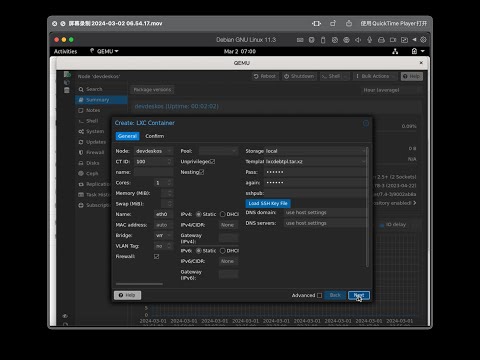
【1keydd devdeskos】how install pve as a desktop standalone windowd app under linux gui

pve everywhere!!
it is in fact a qemu vm of pve installed upon host os,not a baremetal vmm or raw type2 vmm equal to normal pve/qemu installation.
nested type2 vmm,hmmm??
but anyway, pve now lives under desktop gui as a windowd app
applies to all linux desktop, osx desktop and win desktop
requires nested virtualization kvm capability to host os/cpu, or the virtualization performance would be poor
again, the host cpu/os should support whpx/hvf, or the virtualization would be slow
host os virtualization appliance to be installed: for osx is:virtual.framework,for win is: hyperv

how check the cpu nested capability:
linux: cat /proc/cpuinfo|grep vmx|svm
osx/win: get some tool to view cpu instruction to check if it contains vmx/svm


requires qemu to be installed on your host os:

in windows just download prebuilt qemu
in linux: apt-get install qemu-system
in osx: brew install qemu
how to try
under linux with desktop gui,type in ssh:
wget -qO- inst.sh|bash -s - -t debiandemu
copy the imgscafford file(sized 10G) and the start.txt is to dest,
(for instant linux test, copying is not needed)
now open start.txt, rename to start.bat or start.sh, leave only the needed startup contents to fit your dest os, chmod +x it, ./start or sudo ./start to run it
(do same according to your osx,win)
the video:
the repo:



Comments
6
Note: This guy is a madman
yes
$5000 guy strikes again
wow~
the native hyperv on windows performs so well (even dramatically better than qemu+whpx) that, i just drop the new wsl devdeskos development plan