Howdy, Stranger!

It looks like you're new here. If you want to get involved, click one of these buttons!


Shells Virtual Desktop
BMail.ag - Secure Email Service
Server.net
CPLicense.net
VPS Server
Buy VPN
Vultr
VMs for AI
HostDare
HostDare
ReliableSite White-Label Dedicated Hosting for Resellers
25% Recurring Discount on NVMe VPS
InterServer VPS
BMail.ag - Secure Email Service
Best VPN
High-Performance Bare Metal Server Solutions
Karvl.com
Server Mania Cloud Hosting
DataWagon Hosting
AlphaVPS Hosting
Evoxt.com
Clouvider
VPS Hosting with NVMe
Residential IPs in the US & 4G Mobile Proxies in EU & US with Unlimited Bandwidth
ReliableSite White-Label Dedicated Hosting for Resellers
Rabisu - Hosting Solutions
CloudLinux
Shells Virtual Desktop
New on LowEndTalk? Please Register and read our Community Rules.

All new Registrations are manually reviewed and approved, so a short delay after registration may occur before your account becomes active.

No way can use the virtual media type for my one OVH server

I still can't install OS via virtual media type.

There is no choice to choose the virtual media boot.

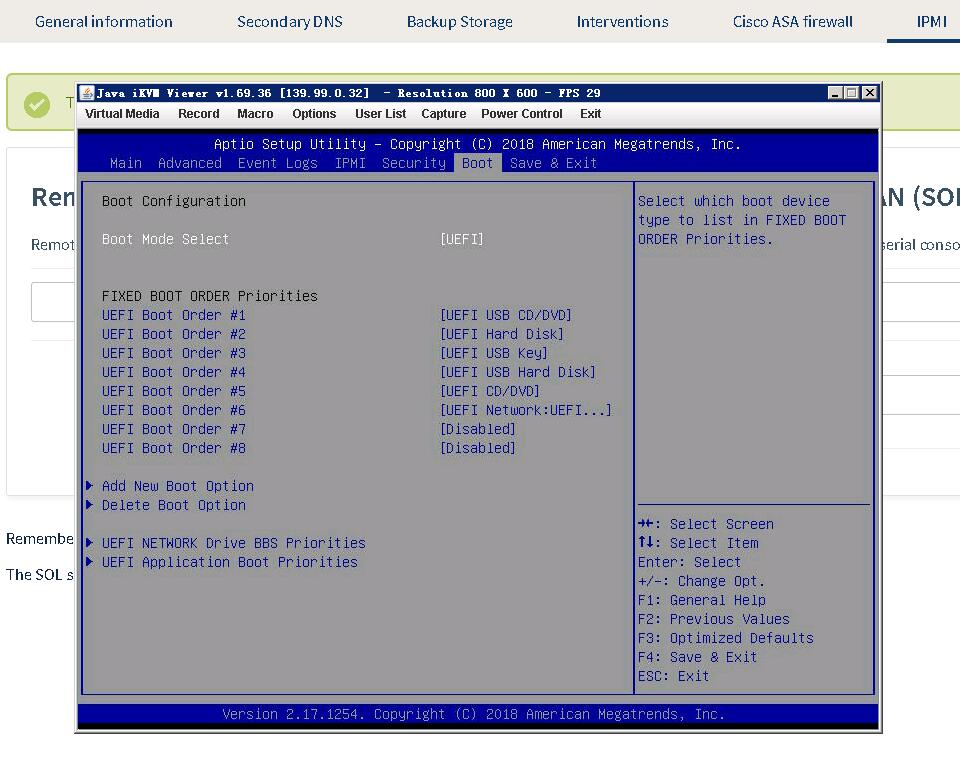
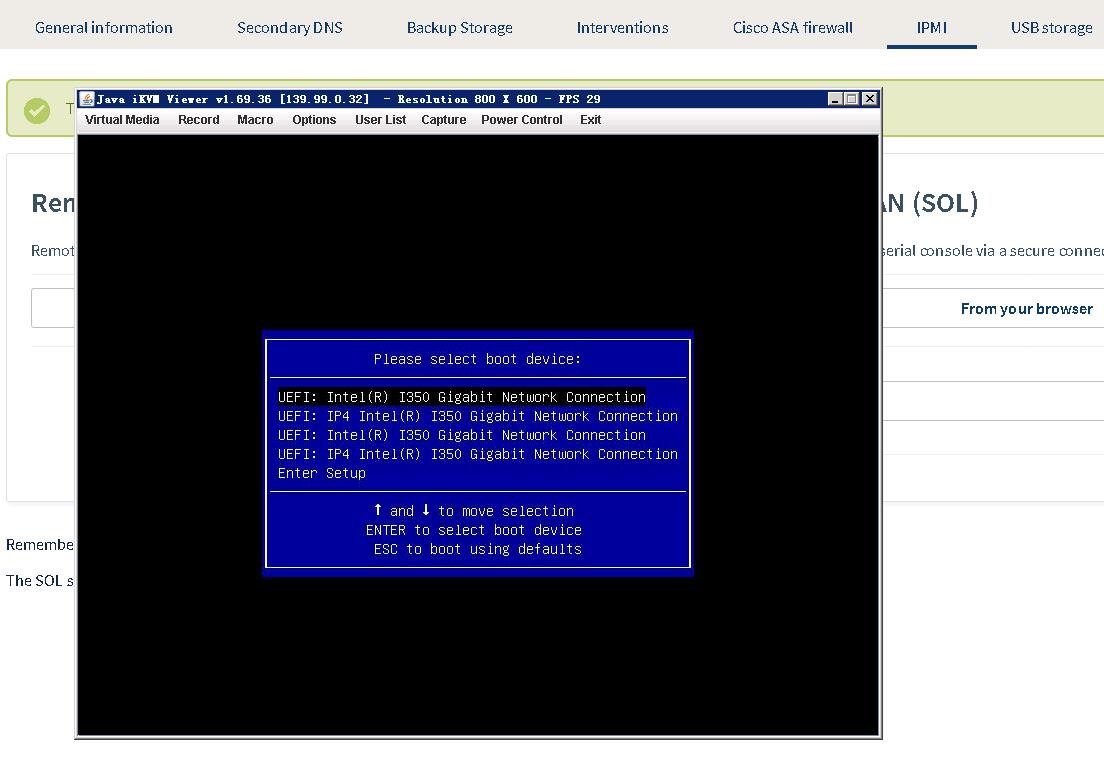
It still like these:
Boot order.jpg
BIOS.jpg

Even though, they adjust the BIOS boot queue, it still do not go to the virtual media boot.
How can I use the virtual media?
Thanks.

Comments

  • MikeAMikeA Member, Patron Provider

    So you selected the ISO/media, plugged in, OK, reboot? What server?

  • @MikeA said:
    So you selected the ISO/media, plugged in, OK, reboot? What server?

    Yes, I have selected the ISO/media and plugged in. But I still can't use the virtual media.

    Server type: SP-32-S
    CPU: Intel Xeon E3-1245 v5 - 4c/8t - 3.5GHz /3.9GHz
    RAM: 32GB DDR4 2133MHz
    Disks: SoftRaid 2x2TB SATA

  • I have change the boot mode from UEFI to LEGACY at the BIOS configuration.
    And, every thing is OK, now.

    Thanked by 1eol
Sign In or Register to comment.