


























New on LowEndTalk? Please Register and read our Community Rules.
All new Registrations are manually reviewed and approved, so a short delay after registration may occur before your account becomes active.
All new Registrations are manually reviewed and approved, so a short delay after registration may occur before your account becomes active.
Is your VPS slow to boot? Check this

Try VNC, to see if there's an error message like this.
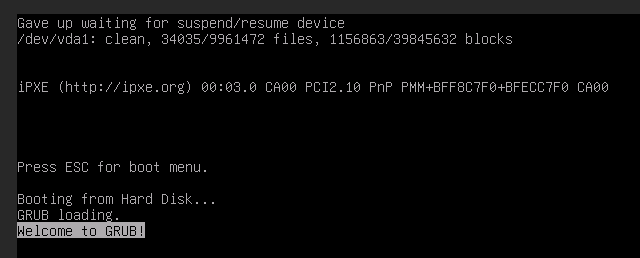
"Gave up waiting for suspend/resume device"
There's a long pause while that times out, and then it continues to boot.
If you have a swap device, find it's UUID.
blkid
Then update the block id here, if it's different.
/etc/initramfs-tools/conf.d/resume

RESUME=UUID={your correct swap UUID}
Then...
update-initramfs -u
My theory is provider images all use the same UUID and might not get updated during deployment.
Perhaps there's a better way to disable hibernation, since you're probably not using it on a VPS, but I haven't looked into it too much. The above fixes the slow boot.



