

























All new Registrations are manually reviewed and approved, so a short delay after registration may occur before your account becomes active.
【inst.sh】how to directly reinstall your vps from rescue linux to win(supports ISP's and 3rd rescue)

there is a type of live os which differs much from normal os in which hard disks were loosely mounted there, and OS booters were often pre launched from netboot instead of hard disks。
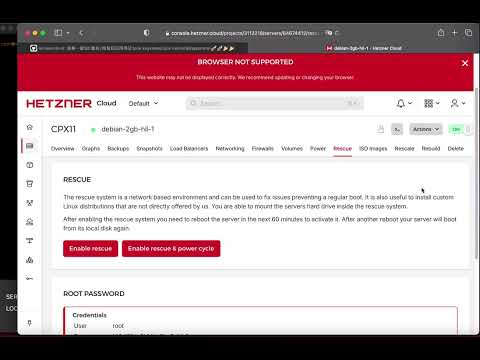
those rescue were commonly found on user backend panel of ovh,hetzner,netcup and a bunch of others ISPs, linux ISOs like SystemRescue, Finnix etc.. belongs to those sort of live cds, too
compared with normal os environment/mode, the live rescue environment/mode for vps/bare-metal is the perfect better place for doing install/preinstall/reinstall/maintain/rescue on it.
for dedicated server that requires time-consuming reinstall process, it is more simpler and reliable to reinstall under rescue, and it requires less work
those reinstall scripts includes inst.sh reinstall.sh, they may utilize a self-customized slimed rescue linux inside of it to provision a new os under the hood
!! and now, inst.sh works both under its own and other common 3rd rescue environments
how
just enter the rescue, type the cmd like how you do in normal linux ssh
wget -qO- inst.sh|bash -s - -t yourgziposurl

if multiple nic multiple disk (take en1,sda as exmple):
wget -qO- inst.sh|bash -s - -i en1 -p sda -t yourgziposurl
after it give hints "3rd rescue env detected", it will do the reinstalling directly in-place
and hint you to reboot after installing done
res
commands:
wget -qO- inst.sh|bash -s - -t yourzipurl
wget -qO- inst.sh|bash -s - -i xx -p xxx -t yourzipurl
(-i forcenicname -p forceblkname)
repo:
https://github.com/minlearn/inst
the video:



Comments
This script saved me so much time, especially for Windows Server 2019 installations.
I just hope TeddySun's Windows images don't have any backdoors!