


























All new Registrations are manually reviewed and approved, so a short delay after registration may occur before your account becomes active.
Creating LVM Storage for Virtualizor on Kimsufi/SoYouStart: OVH Panel Missing LV Option

Hi everyone,
I have two servers, a Kimsufi and a SoYouStart, and I’m trying to set up LVM storage for Virtualizor. I’ve run into an issue with the OVH panel, and I’d appreciate some guidance.
Back in March 2025, the OVH panel allowed me to select "LV" as the partition type to create an LVM partition (see the screenshot attached below for reference). However, now when I attempt an OS reinstall, the "LV" type option is no longer available in the OVH panel. It only shows EXT4 and XFS as filesystem options.
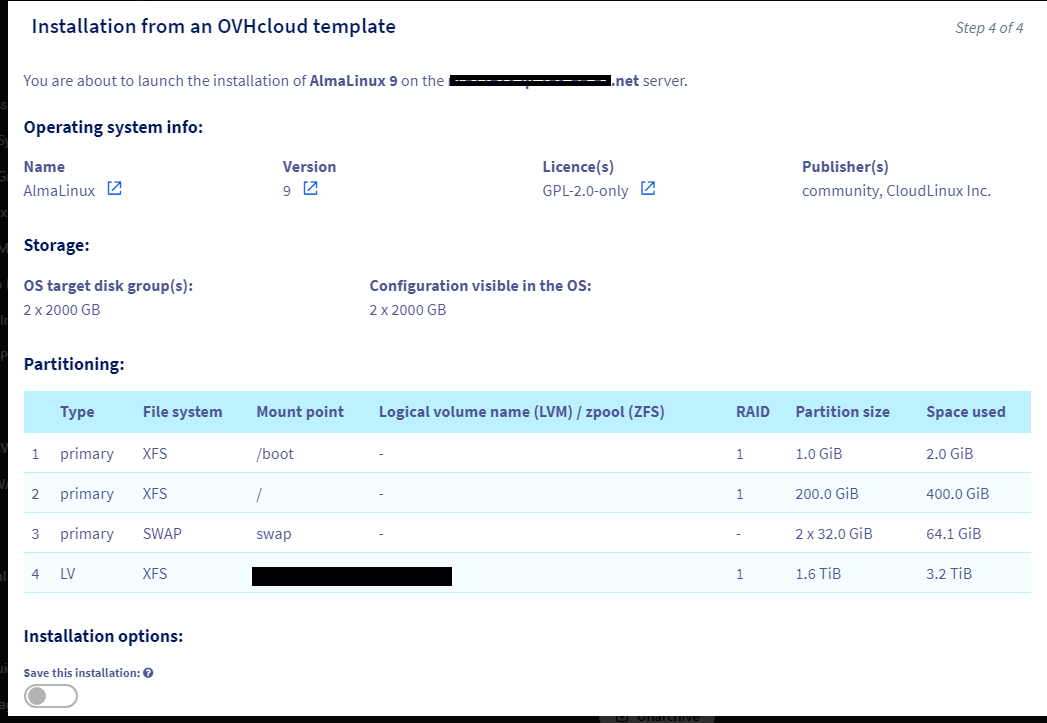
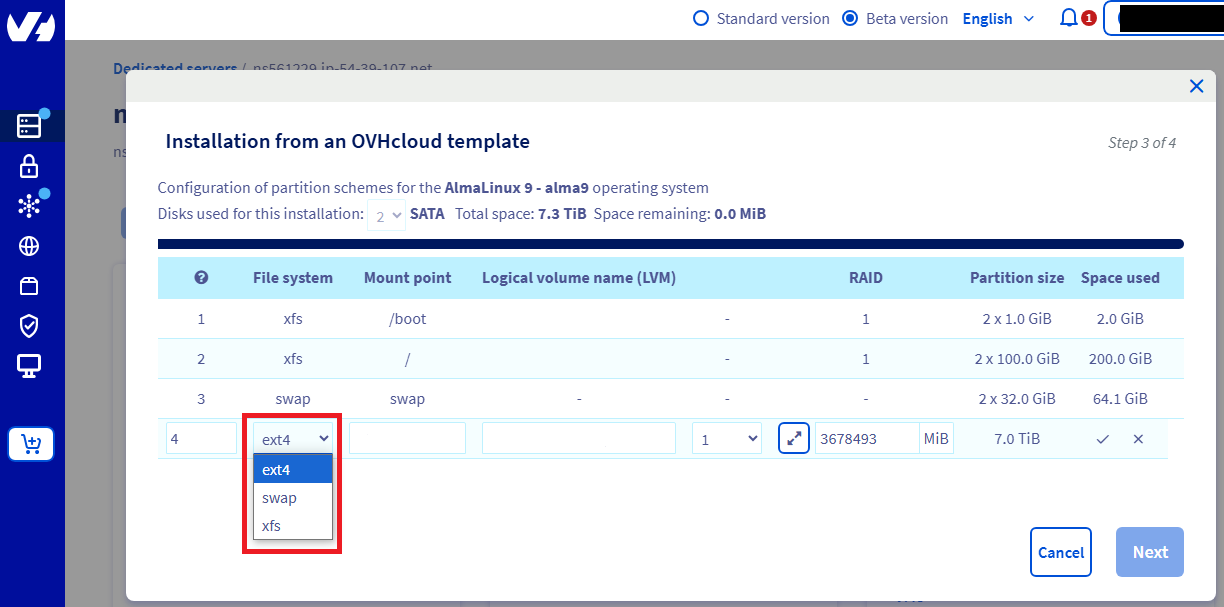
My questions are:
1. How can I create LVM storage for Virtualizor on my Kimsufi and SoYouStart servers now that the OVH panel doesn’t show the LV type option?
2. Is it okay to select EXT4 or XFS during the OS reinstall and then convert the storage to LVM afterward? Or is it safe to perform this conversion after the OS reinstallation?
Any insights or experiences from those who have set up Virtualizor with LVM on OVH servers would be greatly appreciated!
Thanks in advance!



Comments
It doesn't really have to be always just with clicks, just define the /boot, swap, and / partition size per your wish or as virtualizor recommends, and then once OS reinstallation is completed, login over ssh, install lvm2* use fdisk/parted to create the volume drives and pvcreate, vgcreate and you are good to go.